

Calligraphy vs Desktop CNC
Side-by-side on feel, cost, and what your week needs to look like, so you can pick Calligraphy or Desktop CNC with your real life in mind, not just the aesthetic.
Calligraphy and Desktop CNC can feel similar on paper, but they ask for different weeks: Calligraphy suits $50–$300, Desktop CNC suits $300+. The clearest personality split is structure: Rule-based for Calligraphy, Structured for Desktop CNC.
Calligraphy
Slow down and turn ordinary words into deliberate, beautiful strokes.
Slow down and turn ordinary words into deliberate, beautiful strokes.
Desktop CNC
Design parts in CAD and machine them for real on a desktop CNC router.
Design parts in CAD and watch a desktop machine carve them from wood, plastic, or metal.
Which is right for you?
Choose Calligraphy if…
- Slowing down to repeat one downstroke until it's consistent calms you.
- You find quiet satisfaction in a line of script that looks deliberate.
- An hour spent on a single phrase doesn't feel like lost time.
Choose Desktop CNC if…
- Make precise, repeatable parts a hand tool simply can't achieve.
- Bridges design and the physical world, so you draw it, then hold it.
- Endlessly useful: signs, parts, inlays, prototypes, and more.
Experience profile92% overlap
Still
Still
Deep focus
Deep focus
Solo
Solo
Rule-based
Structured
Hours
Hours
Expressive
Some expression
Depth & mastery
Calligraphy
Progression · Lifelong craft
Desktop CNC
Progression · Gradual mastery
Practical fit
Shaded rows show where they differ.
Activity type
Only Calligraphy
Only Desktop CNC
Sensory & flags
Shared
Desktop CNC only
Before you commit
Calligraphy
- Blobbing nibs and wobbling letters would make you give up early.
- You want fast visible results, not months chasing consistency.
- Sitting still at a desk repeating the same slant bores you.
Desktop CNC
- A real learning curve across CAD, CAM, and machine setup.
- The machine and tooling are a meaningful upfront cost.
- Dust, noise, and chips need a dedicated, managed space.
Starter gear
What you'll need
Essential kit only, what you actually buy on day one.

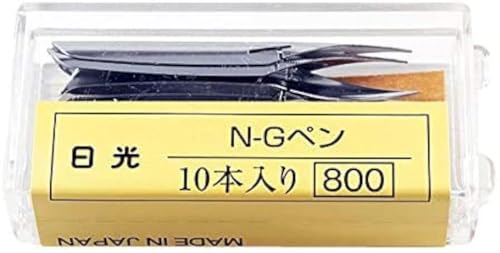


Amazon affiliate links, we earn a small commission at no extra cost to you.
Common questions
Should I pick Calligraphy or Desktop CNC?
How different are Calligraphy and Desktop CNC?
Which is easier for beginners: Calligraphy or Desktop CNC?
Which costs more to start: Calligraphy or Desktop CNC?
Next steps
Still undecided?
Take the quiz: we'll match you to the right hobby, solo or with friends.