Best USB Microphone for Podcasting Beginners (2026): 3 Picks for Every Budget
Listeners forgive amateur everything except bad audio, so the mic is where a new podcaster's money should go first. A USB mic keeps it simple (no audio interface needed), and a dynamic capsule keeps your untreated room out of the recording. Here are three that sound far better than your laptop, from a budget pick to a studio-grade hybrid.
HobbyStack may earn a commission from links on this page at no extra cost to you. Our picks are chosen on merit; the commission helps fund the research.
- USB keeps it simple — plug straight into your computer, no audio interface or mixer needed to start.
- Choose a DYNAMIC mic, not a condenser: dynamics reject room echo and background noise, which matters in an untreated room.
- A USB + XLR "hybrid" mic future-proofs you — start on USB, move to an interface later without rebuying.
- Budget for a pop filter and a boom arm/stand; plosives and desk thumps ruin otherwise good audio.
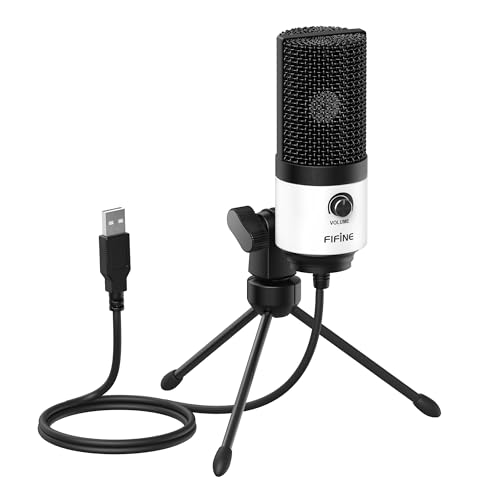


Two choices decide a podcast mic. First, connection: a USB mic plugs straight into your computer and works instantly — no audio interface, no drivers, no mixer. That simplicity is exactly right for starting out. Some mics are USB + XLR hybrids, which let you begin on USB and later plug into a proper interface as your setup grows, without buying a new mic. Second, and more important, is capsule type.
Dynamic vs. condenser is the call most beginners get wrong. Condenser mics are sensitive and detailed — great in a treated studio, terrible in a normal room where they pick up echo, keyboard clatter, and the neighbor's dog. Dynamic mics hear mostly what is right in front of them and reject the rest, so they sound clean in an untreated bedroom or office. For podcasting at home, a dynamic mic is almost always the right answer. Last, plan for two cheap accessories: a pop filter (kills plosive 'p' and 'b' blasts) and a boom arm or stand (isolates desk thumps and gets the mic to your mouth).
 Best budget pick
FIFINE USB Podcast Microphone
The cheapest way to sound dramatically better than a built-in laptop mic. FIFINE's dynamic USB mics plug in and go, reject a lot of room noise, and many include a stand or arm in the box. Not a studio mic, but a genuinely good-sounding first podcast mic at a price that makes starting easy.
What's good
- Very affordable
- USB plug-and-play (with XLR option)
- Dynamic capsule rejects room noise
- Often bundled with a stand/arm
What's not
- Fewer onboard controls than premium mics
- Build and detail below premium mics
 Best for most beginners
Samson Q2U
The mic the podcasting world recommends over and over. It is a dynamic capsule (clean in untreated rooms) with BOTH USB and XLR outputs — so you start by plugging into your computer, and later move to an audio interface without rebuying. It ships with a stand and cables. Punches far above its price and grows with you.
What's good
- Dynamic — clean audio in untreated rooms
- USB and XLR (future-proof)
- Includes stand and cables
- Exceptional value
What's not
- Plain looks
- Needs a pop filter and ideally a boom arm
 Best to grow into
Shure MV7+
The mic you grow into, inspired by Shure's legendary SM7B broadcast mic. The dynamic capsule and tight pickup give it a rich, professional radio voice while ignoring room noise, and it offers both USB and XLR plus onboard tone controls and an app. More than a first-timer needs, but if you are serious, it is a buy-once mic that sounds the part.
What's good
- Rich, broadcast-quality voice
- Dynamic — excellent room-noise rejection
- USB + XLR with onboard controls + app
- A long-term, professional keeper
What's not
- Premium price
- Best results still want a boom arm and good mic technique
The popular big-name condenser USB mics look the part but are the wrong tool for an untreated room — they pick up echo, keyboard noise, and everything else. A dynamic mic hears mostly your voice and rejects the rest, which is why all three picks here are dynamic. Get the capsule type right before anything else.
Which to buy: just want a big upgrade from your laptop mic cheaply? The FIFINE. Want the proven mic that grows with you from USB to a full XLR setup? The Samson Q2U is the easy call for almost everyone. Already serious and want a broadcast voice? The Shure MV7.
Before you buy
Add a pop filter (kills plosive p/b blasts) and a boom arm (isolates desk thumps) — cheap, big quality gains.
Speak close to a dynamic mic — a few inches away — for a full, professional sound.
Record in the smallest, softest room you have; closets and rooms with soft furnishings sound best.
A USB + XLR mic lets you add an interface later without buying a new microphone.
Podcast microphone questions
USB or XLR microphone for a beginner podcaster?
Dynamic or condenser mic for podcasting?
Is a USB mic good enough for a real podcast?
What accessories do I actually need?
Why does everyone recommend the Samson Q2U?
Do I need an audio interface or mixer?
For most beginners the Samson Q2U is the pick — a dynamic mic that sounds clean in any room, with USB now and XLR later, plus a stand in the box. Just want a cheap upgrade from your laptop mic? The FIFINE. Already serious about a broadcast voice? The Shure MV7. Whatever you choose, go dynamic and add a pop filter.
Ready to actually do it?
The first podcasting quest takes an evening, and it tells you whether the gear was worth it better than any review can.
Start PodcastingThe HobbyStack editorial team researches each guide using practitioner communities, published resources, and direct input from active hobbyists. Every guide is reviewed for accuracy before publication and updated when practices change.
About our editorial process →More gear guides
All guides
Best Audio Interface for Beginners (2026): 3 Picks to Record Clean Audio
An audio interface is the box that turns your microphone or guitar into clean, professional-sounding audio your computer can record. It plugs in over USB and does two jobs a laptop cannot: it powers proper microphones and converts the sound with far less noise and latency than your built-in socket. For most beginners the honest truth is that the differences between the good ones are small, so you are really choosing how many inputs you need and how much you want to spend. Here are three that will not let you down, from a simple one-mic setup to a step-up with warmer, more characterful sound.

Best Drawing Tablet for Beginners 2026: XP-Pen Deco vs Wacom Intuos vs Huion Kamvas
Your first drawing tablet is where digital art begins, and the first decision is the big one: a screenless pen tablet (cheaper, lighter, what most pros use) or a pen display you draw directly on (instantly natural, but two to four times the price). The honest answer for almost everyone is start screenless. Here are three picks and which one fits where you are.

Best Monitor for Digital Art 2026: BenQ GW2790 vs Dell 4K USB-C vs BenQ SW272U
A color-accurate monitor is what lets you trust the colors you're choosing, but how much you need depends entirely on where your art ends up. Screen-based work needs accurate sRGB, which any good IPS monitor delivers; print work needs wide-gamut AdobeRGB and calibration, which is a different (and pricier) class of tool. Here are three picks across that divide.
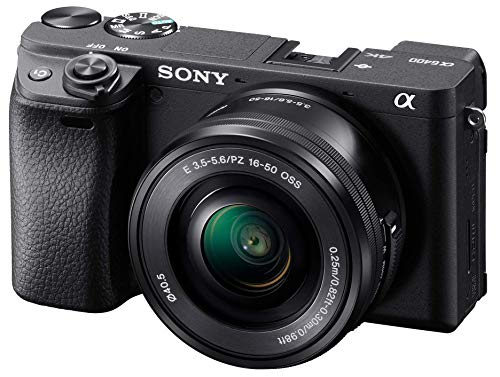
Best Camera for Beginner Filmmakers (2026): 3 Mirrorless Picks
For filmmaking, the camera body matters less than beginners think, what you really want is a modern mirrorless camera with good autofocus, 4K video, and access to interchangeable lenses, so you can grow. All three here shoot sharp 4K and have the reliable autofocus that keeps your subject in focus while you concentrate on the shot, which is the single most useful feature for a beginner. The real ladder is how much camera you grow into: an affordable entry body to learn on, a do-it-all favourite, or an enthusiast body you will keep for years. Here are three good ones, and why the lens matters as much as the body.

Best Camera Microphone (2026): Distance Matters More Than the Microphone
Audiences forgive a soft picture and walk away from bad sound. The good news is that the biggest improvement is free: a cheap microphone two feet from someone beats an expensive one on top of a camera ten feet away, every single time, because sound falls off with distance faster than most people expect.

Best Archival Brushes (2026): Soft, Dry, and Always Away From the Spine
The first rule of cleaning a book is that you almost never use water. Surface dirt comes off dry, with a soft wide brush and patience, and anything wet risks tidelines, cockling and lifting the very ink you were trying to save. The brush is the tool that does most of the real work.