

Home Automation vs Mechanical Keyboards
Side-by-side on feel, cost, and what your week needs to look like, so you can pick Home Automation or Mechanical Keyboards with your real life in mind, not just the aesthetic.
Home Automation and Mechanical Keyboards can feel similar on paper, but they ask for different weeks: Home Automation suits moderate (occasional supplies / fees), Mechanical Keyboards suits significant (regular spend to continue). The clearest personality split is social: Solo for Home Automation, Optional group for Mechanical Keyboards.
Home Automation
Wire your home to respond to you, with lights, locks, and routines on autopilot.
Wire your home to respond to you, with lights, locks, and routines on autopilot.
Mechanical Keyboards
Build a keyboard that sounds and feels exactly the way you want.
Build a keyboard that sounds and feels exactly the way you want.
Which is right for you?
Choose Home Automation if…
- You would happily rage-read YAML at midnight to pair a stubborn sensor.
- A routine firing coffee, blinds, and a playlist on its own delights you.
- Rebuilding your whole setup as standards shift sounds like fun, not pain.
Choose Mechanical Keyboards if…
- Lubing switches one by one chasing the perfect thock sounds blissful.
- You care deeply about how a keystroke sounds and feels under your fingers.
- Flashing firmware and comparing plate materials is your kind of tinkering.
Experience profile71% overlap
Light
Still
Deep focus
Engaged
Solo
Optional group
Structured
Balanced
Hours
Instant
Expressive
Open-ended
Depth & mastery
Home Automation
Progression · Gradual mastery
Mechanical Keyboards
Progression · Lifelong craft
Practical fit
Shaded rows show where they differ.
Activity type
Only Home Automation
Only Mechanical Keyboards
Sensory & flags
Shared
Mechanical Keyboards only
Before you commit
Home Automation
- A sensor that will not talk to the hub would defeat you.
- A partner annoyed by the bathroom going dark would not be worth it.
- You want simple direct switches, not debugging logs and migrations.
Mechanical Keyboards
- A group buy shipping a year late would test your patience.
- You value function over the exact bottom-out sound of a board.
- Endless choices of foam, stabs, and keycaps would overwhelm you.
Starter gear
What you'll need
Essential kit only, what you actually buy on day one.

Smart Lighting
Philips Hue Smart Light Bulbs Starter Kit

Smart Plugs
Amazon Smart Plug
Smart Home Starter Kit
Amazon Echo Dot (5th Gen) with Kasa Smart Plug Bundle

Smart Home Hub
Hubitat Elevation C-8 Pro Smart Home Hub
Switch and Keycap Puller
WASD Keyboards Switch Puller and Keycap Puller Set

Mechanical Keyboard (Hot-Swap)
Glorious GMMK Pro 75% Mechanical Keyboard (Barebones)

Mechanical Keyboard Kit
Keychron K6 Pro Wireless Custom Mechanical Keyboard Barebone Version

Keyboard Switches
Akko V3 Lavender Purple Pro Keyboard Switch with Dustproof Stem for…

Keycaps
Tai-Hao MX-Switch Type Cubic Doubleshot ABS 113-Key Keycap Set

Keyboard Keycap and Switch Puller
Keychron 2-in-1 Switch & Keycap Puller Tool
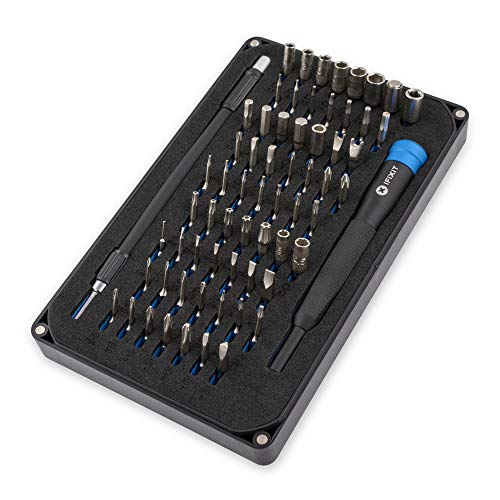
Screwdriver Set
iFixit Mako Driver Kit
Amazon affiliate links, we earn a small commission at no extra cost to you.
Common questions
Should I pick Home Automation or Mechanical Keyboards?
How different are Home Automation and Mechanical Keyboards?
Which is easier for beginners: Home Automation or Mechanical Keyboards?
Which costs more to start: Home Automation or Mechanical Keyboards?
Next steps
Still undecided?
Take the quiz: we'll match you to the right hobby, solo or with friends.