A complete guide to the mechanical keyboard hobby — understanding switches, layouts, and keycaps, building or buying your first board, and tuning it to feel exactly the way you want.
A mechanical keyboard is one of the few pieces of everyday technology where the feel of using it is considered as important as what it does. Every keystroke on a well-built mechanical board is a deliberate tactile and acoustic experience. The hobby around building and customising them is about developing a precise understanding of what you want from that experience and building something that delivers it exactly.
What the Mechanical Keyboard Hobby Actually Involves
Most people who use computers daily have never thought about their keyboard beyond whether it works. The mechanical keyboard hobby begins with the realisation that the typing experience is highly variable, deeply personal, and improvable to a surprising degree. Once you type on a well-built mechanical board with switches chosen for your preferences, returning to a membrane keyboard feels like the difference between a quality pen and a gas station biro.
The hobby operates on several levels simultaneously. At the most accessible level it involves buying a pre-built mechanical keyboard — a mass-market board with hot-swap sockets that lets you swap switches without soldering. At the intermediate level it involves building a keyboard from a kit: assembling a PCB, plate, case, switches, and stabilisers and soldering or hot-swapping them together. At the deeper level it involves group buys — community-organised production runs of custom keyboard components designed by hobbyists, often with months-long wait times — and the modification of every element including lubing switches, tuning stabilisers, adding foam dampening, and sourcing artisan keycaps that cost more than most complete keyboards.
What sustains the hobby across all these levels is that the output is used every day. Unlike most hobbies where the result sits on a shelf or gets worn occasionally, a keyboard built or customised to your exact preferences is something you interact with for hours daily. The investment compounds with every hour of use, and the difference between a mediocre and an excellent typing experience is one you notice constantly rather than occasionally.
Directions and Formats to Explore
Layout and Size
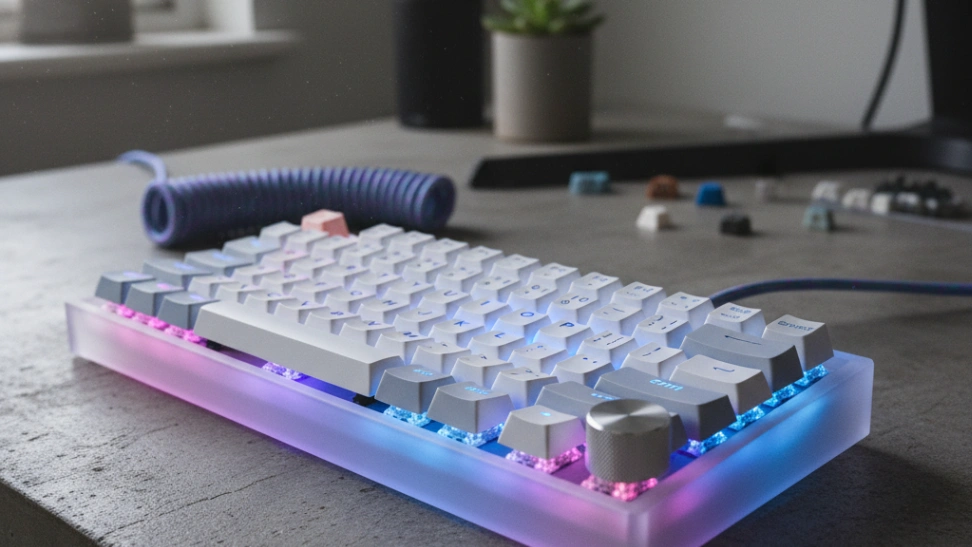
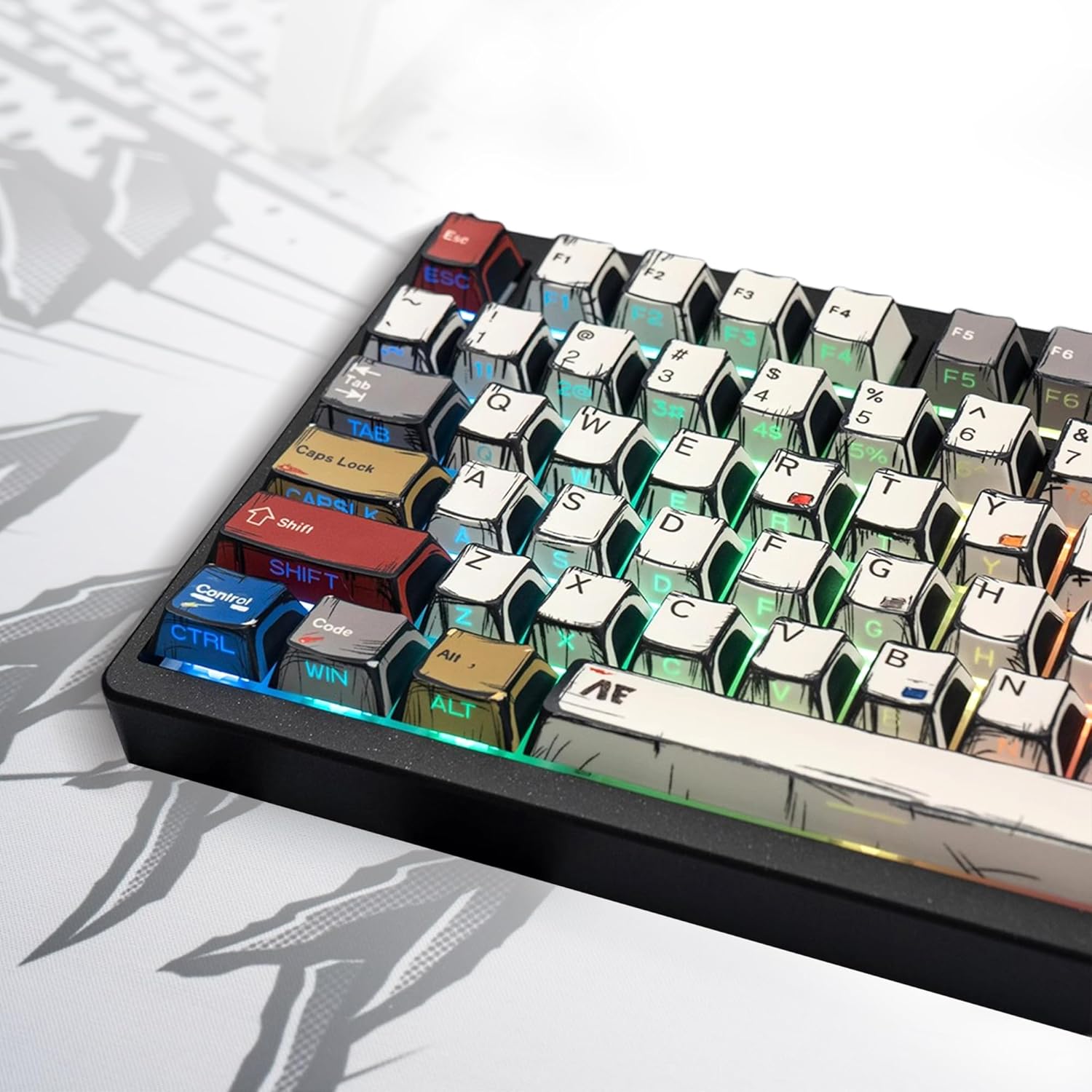
Keyboard layouts are defined by what keys they include relative to a standard full-size board. A full-size board includes the number pad, function row, navigation cluster, and arrow keys. A tenkeyless board removes the number pad. A 75% layout condenses the function and navigation keys. A 65% removes the function row but keeps arrow keys. A 40% retains only the alphanumeric keys and relies entirely on layers for everything else. Each reduction in size produces a more compact, portable board with a smaller desk footprint and, among enthusiasts, increasing aesthetic purity — though at the cost of accessibility and relearning habits formed on full-size boards.
Switch Types
Switches are the mechanical component beneath each keycap that registers a keystroke. The three fundamental types are linear, tactile, and clicky. Linear switches move straight down with consistent resistance and no feedback bump — smooth and quiet, preferred for gaming and fast typing. Tactile switches have a noticeable bump partway through the travel that provides feedback at the actuation point without an audible click — the most popular choice for general typing. Clicky switches combine the tactile bump with an audible click mechanism — satisfying for some, intolerable to anyone in earshot. Switch choice is the most consequential single decision in the hobby and also the most personal.
Custom Builds and Group Buys
The enthusiast end of the hobby is organised around group buys — limited production runs of keyboard cases, PCBs, and keycap sets designed by community members and manufactured in small quantities. Joining a group buy means waiting months to over a year for components that may cost hundreds of dollars. The result is a keyboard that no one else has built in quite the same configuration. This end of the hobby requires patience, a willingness to spend seriously, and comfort with uncertainty — group buys occasionally fail, ship late, or arrive with defects that require community organisation to resolve.
Endgame Searching and Daily Drivers
A running joke in the community is the concept of the endgame keyboard — the perfect board beyond which no further purchases are needed. No one reaches it, because preferences evolve with experience and the market continuously produces new options. Most experienced hobbyists maintain a daily driver — the board they currently use most — alongside a collection of completed or in-progress builds at various stages. The daily driver changes as preferences develop, which is part of how the hobby sustains engagement over years.
Buy a budget hot-swap board before committing to a custom build. The Keychron Q or V series, the Akko boards, and the Epomaker range all offer genuine mechanical keyboard quality at accessible prices with hot-swap sockets. Typing on different switch types in a daily driver for a month teaches you more about your preferences than any amount of reading, and those preferences determine every purchase decision that follows.
Switches, Boards, and Tools You Will Need
The keyboard hobby has a wide price range. A genuinely good typing experience is achievable for under $100. A custom enthusiast build can exceed $500 without difficulty. Here is what a practical beginner setup involves:
The non-negotiables — you need these before your first session. No upsell here, just what actually matters to get started safely.
Mechanical Keyboard Kit

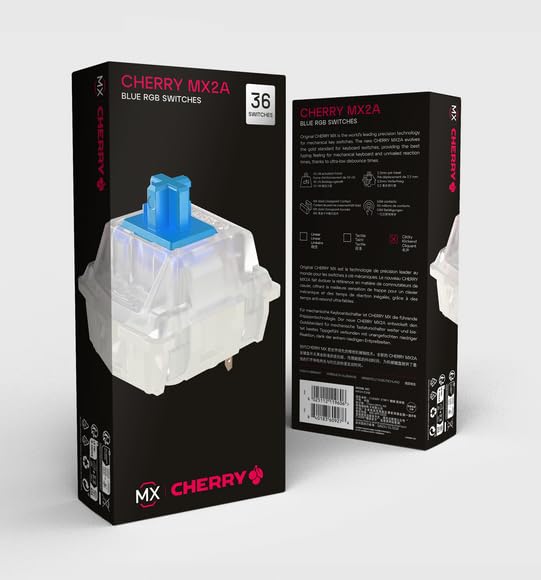
Keyboard Switches
Keyboard Keycap and Switch Puller


Worth it once you're committed. These items meaningfully improve your experience and are often bought within the first few months.
Lubrication Station


Switch choice is the most personal and consequential decision in the hobby. Here is a practical reference for the types and specific switches beginners encounter most:
| Switch | Type | Actuation | Sound Profile | Best For |
|---|---|---|---|---|
| Cherry MX Red | Linear | 45g | Quiet, smooth | Gaming, light typists, office use |
| Gateron Yellow | Linear | 35g | Very smooth, slightly deeper than MX Red | Fast typing, light touch preference |
| Cherry MX Brown | Tactile | 45g | Subtle bump, relatively quiet | General typing, transition from membrane |
| Topre 45g | Electrocapacitive tactile | 45g | Distinct thock, smooth bump | Dedicated typists, premium feel seekers |
| Boba U4 | Tactile | 62g | Silent, pronounced bump | Office use, strong tactile without noise |
| Holy Pandas | Tactile | 67g | Deep, rounded thock | Enthusiast typing, strong tactile preference |
| Cherry MX Blue | Clicky | 50g | Loud click, audible feedback | Typists who want audible actuation feedback |
| Kailh Box White | Clicky | 45g | Crisp click, more consistent than MX Blue | Clicky enthusiasts, wet environments (IP rating) |
Interactive Buyer's Guide
Compare all tiers, track what you own, see your full budget.
How to Get Started Step by Step
Try switches before you buy a board
Switch testers — small boards with one of each switch type installed — cost $10 to $20 and let you feel the difference between linear, tactile, and clicky before spending on a full board. Preferences formed by typing on a tester are far more reliable than preferences formed by reading descriptions.
Choose a layout before choosing anything else
A 65% board suits most people who want a compact desk footprint without giving up arrow keys. A tenkeyless suits those who want a familiar layout in a smaller package. Decide on the layout first — it determines which cases, PCBs, and keycap sets are compatible with everything else you buy.
Lube your switches before installing them
Lubing switches — applying a thin coat of lubricant to the moving parts — reduces friction, eliminates scratchiness, and changes the sound profile significantly. It is the single most impactful modification available and costs around $10 for enough lube to do hundreds of switches.
Tune stabilisers before anything else on the board
Stabilisers support the larger keys — spacebar, shift, enter, backspace. Poorly tuned stabilisers produce a rattling, mushy feel that ruins the typing experience regardless of switch quality. Lubing and band-aid modding stabilisers before installing them takes 20 minutes and makes the largest single improvement to how a board feels and sounds.
Build in a foam or tape mod for sound dampening
Case foam, switch foam, and the tape mod — adding a layer of painter's tape to the back of the PCB — reduce the hollow, poppy sound common in entry-level boards and produce a thockier, more dampened acoustic profile. Try the tape mod first: it is free, reversible, and noticeably effective.
Learn to solder before attempting a non-hot-swap build
Hot-swap sockets let switches be removed and replaced without soldering. Soldered builds are more permanent but allow a wider range of PCBs and produce a marginally more stable switch connection. Practice soldering on a cheap PCB before committing to a board you care about.
What to Expect From Your First Build
Here's what typically happens when you start — and why it's useful information, not failure.
Lubing switches takes longer than expected.
Lubing 70 switches for a 65% board takes two to three hours the first time. It is a repetitive, meditative process that most people find either deeply satisfying or tedious depending on their temperament. Doing it while watching a video or listening to a podcast makes the time pass more easily. The result — a noticeably smoother, quieter board — makes the time feel well spent.
The stabilisers will frustrate you before they work.
Stabilisers are mechanically simple but finicky to tune correctly. Too much lube and the spacebar feels sluggish. Too little and it rattles. The band-aid mod — placing a small piece of foam between the stabiliser wire and the PCB — eliminates rattle at its source. Most beginners revisit stabiliser tuning two or three times before the result feels right, and that iteration is normal rather than a sign of failure.
The sound will surprise you.
A board with lubed switches, tuned stabilisers, and basic dampening mods sounds substantially different from any pre-built keyboard you have typed on. The specific sound is described in community terms as thocky, clacky, or marbly depending on the components and mods used. Hearing a well-built board for the first time is the moment many people understand why the hobby exists at all.
You will immediately want a different switch.
This is universal. Typing on your first completed build teaches you more about your preferences than any research phase. The switches that sounded ideal turn out to be slightly too heavy, or slightly too light, or smoother than you wanted, or not smooth enough. This is not a failure — it is information, and it guides the next build more accurately than any other input could.
The typing experience is genuinely different from anything else.
There is a specific quality to a well-built mechanical board that is difficult to convey in text. The consistency of each keystroke, the sound that fills a room just enough without being intrusive, the physical feedback that makes fast typing feel effortless — these properties compound over hours of daily use into a relationship with a tool that most people who build their own keyboards describe as unexpectedly meaningful.
Beginner Tips That Actually Help
Do not over-lube switches
More lube is not better. A thin, even coat on the switch housing rails and stem legs is correct. Applying lube to the tactile legs of a tactile switch dampens the bump and turns it into a linear — a common and irreversible beginner mistake without disassembling and cleaning each switch. When in doubt, use less than you think you need. The difference between too little and correct is smaller than the difference between correct and too much.
Use a switch opener and lube station
Trying to open switches with a flathead screwdriver damages the clips and makes reassembly inconsistent. A dedicated switch opener costs $5 and opens switches cleanly and quickly. A lube station holds 20 to 30 switch stems at a time in a tray that keeps them oriented correctly while you work through them. Both are small purchases that make the lubing process significantly faster and produce more consistent results.
Record your build components and mods
The mechanical keyboard hobby accumulates components quickly. Keeping a simple log of what switches are in each board, what lube was used, what mods were applied, and what you thought of the result creates a reference that informs future builds and saves time when you want to replicate or improve a previous configuration. A notes app or a spreadsheet both work. The community on Reddit keeps build logs for this reason — the habit of documenting produces better builds over time.
Buy keycaps in PBT, not ABS
ABS plastic keycaps — used on most mass-market keyboards including Apple's Magic Keyboard — develop a greasy, worn shine from finger oils within months of daily use. PBT plastic resists this shine, feels more textured under the fingers, and lasts the life of the board without degrading. Double-shot PBT and dye-sublimated PBT are the two quality processes used for legends — the printed characters on each keycap. Both are durable. The legends on cheap ABS keycaps fade or peel within a year. PBT legends are effectively permanent.
Listen to sound tests before buying
The mechanical keyboard community produces an enormous volume of sound test recordings — YouTube videos and audio files recorded through calibrated microphones that demonstrate how a specific switch, board, and keycap combination sounds in a real typing session. Searching for the specific board and switch combination you are considering almost always surfaces a sound test that gives a realistic expectation of the result. Sound tests are the most useful research tool available before a purchase and the one most beginners discover only after buying something that does not sound the way they imagined.
The r/MechanicalKeyboards wiki is the best single resource
The mechanical keyboard subreddit maintains a wiki covering switch types, recommended boards at every budget, keycap sources, group buy etiquette, and beginner build guides that is more current and more practically useful than any book or course on the hobby. The daily driver megathread and the switch recommendation threads answer most beginner questions that are not already covered in the wiki. Spending an hour in the wiki before buying anything saves money and prevents the most common beginner purchasing mistakes.
Common Questions Answered
- Are mechanical keyboards actually better for typing, or is it just preference?
Both. The physical consistency of mechanical switches — every keystroke actuating at exactly the same force and travel distance — reduces the variation in finger effort that membrane keyboards require and can reduce fatigue during long typing sessions. Whether a specific person types faster or more accurately on a mechanical board depends on the switch weight and the individual's typing style. The preference component is real and significant: someone who dislikes the feel of a specific switch will not type well on it regardless of its objective properties. The practical answer is that most people who switch to a mechanical board with appropriately chosen switches prefer it for daily typing and do not return to membrane keyboards voluntarily.
- What is a hot-swap keyboard and should a beginner buy one?
A hot-swap keyboard has sockets on the PCB that grip switch pins mechanically without soldering, allowing switches to be removed and replaced using a small metal tool in seconds. For beginners, hot-swap is strongly recommended because it allows switch experimentation without commitment — you can try three or four different switches in the same board over the course of a month and directly compare the experience. Soldered builds are more permanent and require desoldering to change switches, which is a skill and a time investment that makes switch experimentation expensive in both effort and risk of PCB damage.
- What does thock mean and why does the community care so much about sound?
Thock is the community term for a deep, full, low-pitched keystroke sound that is widely considered desirable — the acoustic equivalent of a solid wooden door closing rather than a hollow plastic one. The opposite end of the spectrum is a high-pitched, clacky, or poppy sound associated with cheap cases and unlubed switches. Sound matters in the keyboard hobby for the same reason it matters in any tool that is used for hours daily: the sensory experience of using something well-made is qualitatively different from using something mediocre, and sound is part of that experience. The hobby has developed a rich vocabulary — thocky, clacky, creamy, marbly, poppy — for describing acoustic profiles because those differences are real, meaningful to practitioners, and directly influenced by component and modification choices.
- What is a group buy and how does it work?
A group buy is a community-organised pre-order for a custom keyboard component — typically a case, PCB, or keycap set — designed by a hobbyist and manufactured in a limited run. Because the quantities are small and the designs are non-standard, they are not stocked by retailers. Instead, the designer opens an interest check to gauge demand, then a group buy where people pay upfront, then waits for the minimum order quantity threshold to be met before placing the manufacturing order. Production and shipping can take six to eighteen months. The result is access to components that are not otherwise commercially available, at prices that reflect the small production run. Group buys carry risk — delays are common, and occasional projects fail entirely — but the community has developed norms around refunds and communication that make them generally trustworthy for established designers with track records.
- How much do you need to spend to get a genuinely good mechanical keyboard?
A complete, genuinely good typing experience is achievable for $80 to $150 including the board, a set of quality switches, and lubing supplies. The Keychron V series at $80 to $100, a bag of Gateron Oil Kings or Boba U4s at $20 to $25, and a small pot of Krytox 205g0 at $10 produces a board that outperforms everything under $200 in the mass-market category. Beyond that level, returns diminish in typing experience terms while increasing in aesthetic and build quality terms. The $300 to $600 custom build tier produces perceptibly better results in materials, acoustics, and feel, but the gap between a well-modded $100 board and a custom build is smaller than the price difference suggests.
- Are wireless mechanical keyboards worth considering?
Yes, particularly for users who want a clean desk setup or use a keyboard across multiple devices. Bluetooth mechanical keyboards introduce one tradeoff that matters to some users: input latency. Most modern wireless keyboards using Bluetooth 5.0 have latency below 10 milliseconds, which is imperceptible during typing and unnoticeable for most gaming. Keyboards using proprietary 2.4GHz wireless receivers — as used by Logitech's high-end range and the Keychron series — achieve latency comparable to wired connections and are indistinguishable in daily use. The battery management consideration — charging or replacing batteries every one to six weeks depending on the board — is the main practical difference from wired use.