Amateur Robotics for Beginners: How to Get Started
A complete guide to building robots at home — choosing a platform, understanding electronics and code, working with sensors and motors, and progressing from blinking an LED to a machine that responds to its environment.
A robot is a machine that senses its environment, makes a decision based on that input, and acts on the world as a result. That loop — sense, decide, act — is the core of every robot ever built, from a $10 obstacle-avoiding car kit to a Mars rover. Understanding that loop at a practical, hands-on level is what amateur robotics teaches, and it is more accessible today than at any point in the history of the hobby.
What Amateur Robotics Actually Involves
Amateur robotics sits at the intersection of electronics, programming, mechanical design, and problem-solving. Unlike most hobbies that develop one skill set, robotics requires you to develop several simultaneously and apply them together. A robot that does not move correctly might have a mechanical problem, an electronics problem, or a code problem — or all three interacting. Learning to diagnose across those domains is the central intellectual challenge of the hobby and the reason people find it so absorbing.
The practical entry point for most beginners is a microcontroller — a small programmable chip that reads sensor inputs and controls outputs like motors and LEDs. Arduino is the platform that introduced this approach to a mass hobbyist audience and remains the most widely documented and supported platform in existence. Raspberry Pi brought a full Linux computer to a single board the size of a credit card, enabling more complex robotics including computer vision and machine learning at hobby scale. Both are used extensively in amateur robotics, often together in the same build.
What distinguishes amateur robotics from toy assembly is that you are building systems where the behaviour emerges from your decisions about how components interact. A line-following robot requires a sensor to detect the line, a microcontroller to interpret the sensor data and calculate a response, and motors to act on that response in real time. Getting that system to work reliably — to follow the line smoothly rather than oscillating wildly or losing it entirely — requires tuning, iteration, and understanding. That process is where the genuine learning and satisfaction of the hobby live.
Types and Directions to Explore
Layout and Size
Keyboard layouts are defined by what keys they include relative to a standard full-size board. A full-size board includes the number pad, function row, navigation cluster, and arrow keys. A tenkeyless board removes the number pad. A 75% layout condenses the function and navigation keys. A 65% removes the function row but keeps arrow keys. A 40% retains only the alphanumeric keys and relies entirely on layers for everything else. Each reduction in size produces a more compact, portable board with a smaller desk footprint and, among enthusiasts, increasing aesthetic purity — though at the cost of accessibility and relearning habits formed on full-size boards.
Switch Types
Switches are the mechanical component beneath each keycap that registers a keystroke. The three fundamental types are linear, tactile, and clicky. Linear switches move straight down with consistent resistance and no feedback bump — smooth and quiet, preferred for gaming and fast typing. Tactile switches have a noticeable bump partway through the travel that provides feedback at the actuation point without an audible click — the most popular choice for general typing. Clicky switches combine the tactile bump with an audible click mechanism — satisfying for some, intolerable to anyone in earshot. Switch choice is the most consequential single decision in the hobby and also the most personal.
Custom Builds and Group Buys
The enthusiast end of the hobby is organised around group buys — limited production runs of keyboard cases, PCBs, and keycap sets designed by community members and manufactured in small quantities. Joining a group buy means waiting months to over a year for components that may cost hundreds of dollars. The result is a keyboard that no one else has built in quite the same configuration. This end of the hobby requires patience, a willingness to spend seriously, and comfort with uncertainty — group buys occasionally fail, ship late, or arrive with defects that require community organisation to resolve.
Endgame Searching and Daily Drivers
A running joke in the community is the concept of the endgame keyboard — the perfect board beyond which no further purchases are needed. No one reaches it, because preferences evolve with experience and the market continuously produces new options. Most experienced hobbyists maintain a daily driver — the board they currently use most — alongside a collection of completed or in-progress builds at various stages. The daily driver changes as preferences develop, which is part of how the hobby sustains engagement over years.
Start with an Arduino Uno and a basic sensor kit before buying a chassis or any motors. Spend two weeks doing nothing but learning to read sensors and control outputs with code. The ability to reliably read a distance sensor and make an LED respond to it is the skill that makes everything else in robotics possible. Skipping this foundation and jumping straight to a robot kit produces builds that work for reasons you do not understand and fail for reasons you cannot diagnose.
Platforms and Components You Will Need
The keyboard hobby has a wide price range. A genuinely good typing experience is achievable for under $100. A custom enthusiast build can exceed $500 without difficulty. Here is what a practical beginner setup involves:
The non-negotiables — you need these before your first session. No upsell here, just what actually matters to get started safely.
Wire Strippers


Worth it once you're committed. These items meaningfully improve your experience and are often bought within the first few months.
Helping Hands Tool


Choosing the right microcontroller or computer platform for a project determines what is possible and how complex the code needs to be. Here is a reference for the platforms beginners encounter most:
| Platform | Type | Language | Best For | Limitations |
|---|---|---|---|---|
| Arduino Uno | Microcontroller | C / C++ | Sensor reading, motor control, real-time tasks | No WiFi, limited memory, no OS |
| Arduino Nano | Microcontroller | C / C++ | Compact builds, same tasks as Uno | Fewer pins, smaller but same power |
| ESP32 | Microcontroller | C++ / MicroPython | WiFi-connected robots, IoT builds, Bluetooth control | 3.3V logic — some 5V sensors need level shifting |
| Raspberry Pi 4 | Single-board computer | Python / any | Computer vision, SLAM, AI, complex logic | Not real-time, needs OS, higher power draw |
| Raspberry Pi Pico | Microcontroller | MicroPython / C | Low-cost real-time control, beginner-friendly Python | Smaller community than Arduino for robotics |
| Nvidia Jetson Nano | AI single-board computer | Python / C++ | On-board GPU for real-time object detection and AI | Expensive, high power draw, steep learning curve |
Interactive Buyer's Guide
Compare all tiers, track what you own, see your full budget.
How to Get Started Step by Step
Learn the sense-decide-act loop before building anything that moves
Wire an ultrasonic sensor to an Arduino and write code that lights an LED when something comes within 20cm. This single exercise contains every concept in robotics. Build and modify it until every line of code is clear before touching a motor.
Understand voltage, current, and power before connecting anything
An Arduino cannot directly drive a motor — motors draw more current than the microcontroller can supply and will damage it. A motor driver board sits between them, taking power from a separate battery. Understanding why this is necessary prevents the most common and most expensive beginner errors.
Build a line follower as your first moving robot
A wheeled chassis with two infrared sensors that follow a black line on white paper covers sensor reading, motor control, and real-time decision-making in one project. Tuning it to follow smoothly rather than oscillate introduces proportional control — the foundation of PID, which governs almost all real-world robot behaviour.
Use a breadboard before soldering anything
Breadboards let you build and modify circuits without soldering — errors are fixed by moving a wire, not desoldering joints. Confirm a circuit works on a breadboard before committing it to solder. Soldering an unconfirmed circuit locks in errors that take hours to diagnose.
Read the datasheet for every component you use
Datasheets specify operating voltage, current draw, pin functions, and communication protocol for every component. Reading one before wiring prevents damage and missed capabilities. Tutorials cover common cases; datasheets cover your specific situation.
Document every build with wiring diagrams and code comments
A robot with undocumented wiring and uncommented code is a future debugging nightmare. A rough wiring sketch and brief code comments cost ten minutes per build and save hours when something breaks weeks later.
What to Expect From Your First Builds
Here's what typically happens when you start — and why it's useful information, not failure.
Nothing will work the first time it is assembled. A connection will be reversed, a library will be missing, a pin number in the code will not match the physical wiring, or a component will be faulty. This is the universal experience of everyone who has ever built a robot, from first-time hobbyists to professional engineers. The ability to diagnose methodically — checking power first, then connections, then code, then components one at a time — is the skill that gets things working and develops fastest through direct experience.
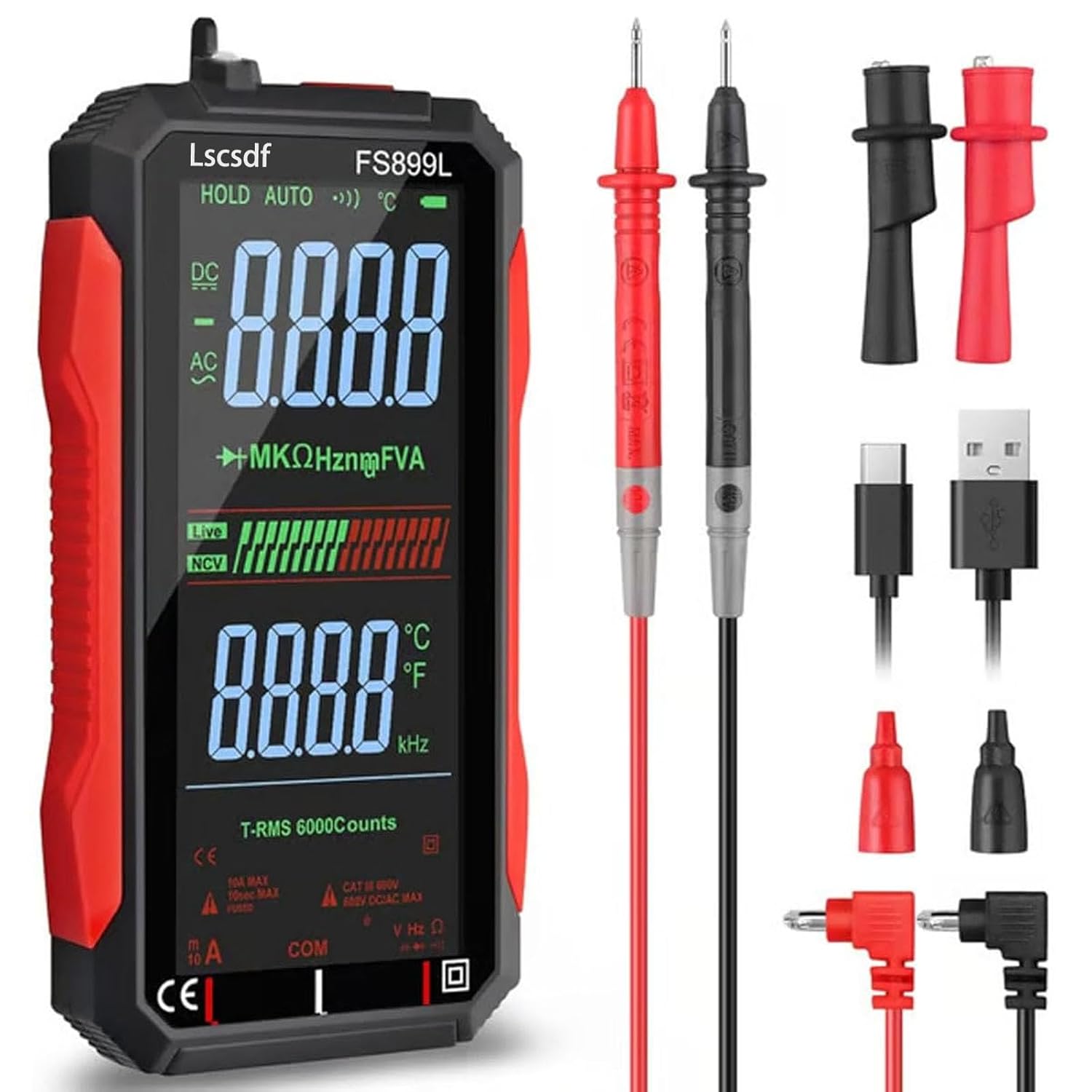
The multimeter will become your most important tool. Measuring voltage at various points in a circuit to confirm power is arriving where it should, checking continuity to confirm connections are actually made, and measuring current to confirm a component is drawing what its datasheet says it should — these practices diagnose the majority of hardware problems faster than any other approach. Beginners who learn to use a multimeter in the first month save enormous amounts of time across every build that follows.
Your first moving robot will move wrong before it moves right. A wheeled robot might spin in circles because one motor is wired in reverse. It might drive too fast for the sensor to respond to obstacles in time. It might oscillate on a line because the control loop is too aggressive. Each of these failures is instructive and correctable, and the moment a robot moves correctly for the first time — actually following a line or avoiding a wall under its own power — is one of the most satisfying moments the hobby produces.
Code bugs are as common as hardware bugs. A robot that does not behave as expected might have a logic error in the code rather than a wiring problem. Printing sensor values to the serial monitor while the robot runs and watching what the microcontroller is actually seeing versus what you think it is seeing diagnoses code problems quickly. Learning to separate hardware debugging from software debugging — addressing them as distinct problems with distinct diagnostic methods — is a skill that develops over the first few builds and dramatically reduces time spent on dead ends.
The community will fill the gaps your tutorials leave. Arduino forums, the Robotics Stack Exchange, Reddit communities including r/robotics and r/arduino, and project-specific Discord servers contain documented solutions to virtually every beginner problem. The amateur robotics community is consistently described by newcomers as one of the most helpful technical communities online, with experienced builders routinely spending significant time helping beginners work through problems in detail.
Beginner Tips That Actually Help
Power your motors from a separate supply, never from the Arduino
An Arduino's 5V pin can supply approximately 500 milliamps of current. A single small DC motor can draw 500 to 1,000 milliamps under load, spiking higher on startup. Running motors from the Arduino's power supply causes voltage drops that reset or damage the microcontroller unpredictably. Always use a dedicated battery or voltage regulator for motor power, sharing only a common ground with the Arduino. This single wiring principle prevents more beginner failures than any other piece of advice in hobby robotics.
Learn PID control early
Proportional-Integral-Derivative control is the algorithm used in virtually every real robot to smooth out the difference between bang-bang control — which just switches outputs fully on or off — and the precise, stable behaviour that makes robots useful. A line follower tuned with PID follows a line smoothly rather than weaving. A balancing robot with PID stands upright rather than falling over. Brett Beauregard's Arduino PID library and his accompanying tutorial on how PID actually works are the most widely recommended introduction to the concept in the amateur robotics community and are worth reading in full before attempting any project that requires smooth control.
Use version control for your code from the first project
Robot firmware changes constantly during development. A version that was working three changes ago is often needed again when a later change breaks something unexpected. Keeping code in a Git repository — even a local one — allows any version to be retrieved instantly and makes the development history readable. GitHub provides free hosting. The habit of committing working versions with descriptive messages before making significant changes costs two minutes per session and has rescued countless hobby projects from the frustration of having lost a working state to an ill-considered change.
Build the mechanical structure to be adjustable
Sensor mounting positions, wheel spacing, and weight distribution all affect how a robot behaves, and the correct values are rarely obvious before the first tests. Building with slotted mounting holes rather than single fixed holes, using zip ties and velcro for initial component placement before committing to screws, and designing for disassembly rather than permanence allows quick adjustments between test runs. A chassis that can be reconfigured in ten minutes gets tested and improved far more than one that requires an hour of work to modify.
Simulate before building where tools allow
Tinkercad Circuits allows Arduino circuits to be wired and code to be written and tested entirely in a browser without any physical components. Webots and Gazebo are free robot simulators capable of testing navigation algorithms, sensor behaviour, and control code in a realistic physics environment before a physical robot is built. Simulation does not replace physical testing — the real world always introduces factors simulation misses — but it catches logical errors in code and obvious design problems at zero cost in components or time spent at a workbench.
Follow the work of people building at the edge of the hobby
Boston Dynamics research videos, James Bruton's YouTube channel covering full-scale humanoid and dog robots built at home, and the work published through Hackaday show what the outer boundary of amateur and semi-professional robotics looks like. Understanding where the hobby can go is motivating when early projects feel simple, and the techniques these builders use — cable-driven joints, field-oriented motor control, visual odometry — are explained in accessible detail in project writeups that are freely available. The distance between a beginner's first line follower and a walking robot is measurable in years of consistent practice, not in innate talent.
Common Questions Answered
- Do you need to know programming to get started in robotics?
Basic programming is genuinely necessary for anything beyond pre-built kits. Arduino uses a simplified version of C that is more accessible than most languages, and MicroPython — a version of Python designed for microcontrollers — is even more beginner-friendly. The programming required for a first line follower or obstacle avoider is around 30 to 50 lines of code and covers concepts — variables, if statements, loops, and function calls — that most beginners learn in their first week of any programming introduction. The Arduino Project Hub and the Raspberry Pi Foundation both offer free beginner programming curricula specifically oriented toward physical computing and robotics.
- What is the difference between an Arduino and a Raspberry Pi for robotics?
An Arduino is a microcontroller — a simple chip that runs one program repeatedly in a predictable, real-time loop. It is excellent at reading sensors and controlling motors with precise timing. A Raspberry Pi is a full single-board computer running Linux — capable of running multiple processes simultaneously, connecting to the internet, processing video, and running machine learning models. The Pi is more powerful but less suited to real-time motor control because the operating system introduces timing variability. Many capable robot builds use both: a Pi for high-level decision-making and vision processing, and an Arduino handling low-level motor control and sensor reading with reliable timing.
- How much space do you need to build and test robots?
Building requires a workbench or desk surface large enough to hold a laptop, the robot chassis, and a component tray. A standard desk is adequate. Testing wheeled robots requires floor space — a clear area of at least 2 metres by 2 metres allows a small robot to navigate and turn without immediately hitting walls. Line-following tests require a printed or taped track on a flat floor surface, which can be rolled up and stored between sessions. Arms and stationary robots can be tested entirely on the workbench. The hobby scales from a bedroom corner setup to a full garage shop depending on ambition, with most beginner builds requiring very little dedicated space.
- What is ROS and do beginners need it?
ROS — the Robot Operating System — is an open-source middleware framework used in research, industry, and advanced hobby robotics to manage communication between different robot subsystems. It is powerful, widely used in academia and industry, and genuinely complex to learn. Beginners do not need ROS. The vast majority of hobby robot builds at beginner and intermediate level are built entirely without it. ROS becomes relevant when building robots sophisticated enough to require multiple computers communicating, complex sensor fusion, or when learning skills directly applicable to a robotics career. Most experienced hobby roboticists recommend getting comfortable with direct Arduino and Python development for a year or more before approaching ROS.
- Are robot kits a good starting point or a shortcut that skips too much?
It depends entirely on the kit. Kits that require you to wire the electronics, write or at least understand and modify the code, and assemble the mechanical structure teach the fundamentals well. Kits that ship as snap-together assemblies with pre-loaded code that you simply run teach very little. The distinction matters because the goal of amateur robotics is understanding — building systems that work in ways you can explain, modify, and extend. A kit that produces a working robot you do not understand leaves you unable to build the next thing. Look for kits that include wiring guides rather than pre-assembled PCBs, and tutorials that explain what the code is doing rather than simply instructing you to upload a file.
- What is the most rewarding first robot to build?
Almost universally, experienced builders point to the line follower as the most pedagogically valuable first robot, and the balancing robot — a two-wheeled inverted pendulum that stays upright using a gyroscope and PID control — as the most satisfying intermediate build. The balancing robot is the project that most frequently gets cited as the moment when the physics, electronics, and control theory of robotics clicked together in a way that made the entire discipline feel coherent. It typically takes three to six months of consistent building to reach the skill level needed to complete one successfully, and the result is a robot that visibly demonstrates control theory working in real time in a way that is compelling to anyone who watches it.