Best Laser Engraver for Beginners (2026): Diode to Enclosed
A laser engraver burns designs into wood, leather, acrylic, and slate, and cuts thin materials, all from a design on your computer. For a beginner the two things that matter are power (how thick you can cut) and whether the machine is open-frame or enclosed (safety and mess). Here are three good ones, from an affordable 10W diode to a fully enclosed xTool you can run on the kitchen table.
HobbyStack may earn a commission from links on this page at no extra cost to you. Our picks are chosen on merit; the commission helps fund the research.
- Power in watts sets what you can do: 5 to 10W engraves almost anything and cuts thin wood; 20W and up cuts thicker.
- Open-frame diode lasers are cheaper and cut well but need eye protection and ventilation. Enclosed machines are safer and cleaner.
- A laser needs air assist (a little air blown at the cut) and ventilation for fumes. Factor those in.
- Never leave a running laser unattended: the beam can start a fire. Watch it, and keep a fire extinguisher nearby.
 Atomstack A10 Pro V2 10W Laser EngraverThe cheapest capable way in$230Check price
 Our pickOrtur Laser Master 3 10WThe popular all-rounder most should buy$390Check price
 xTool M2 10W Enclosed Laser EngraverA safe, clean machine you grow into$499Check price
A hobby laser works by focusing a beam that burns (engraves) or cuts through material, driven by software on your computer where you place your design. The single most important spec is power, measured in watts of optical output. A 5 to 10 watt diode laser, the beginner sweet spot, engraves wood, leather, slate, anodized metal, and dark acrylic beautifully and will cut through thin plywood and card in multiple passes. Higher power (20 watts and up) mainly buys the ability to cut thicker wood in fewer passes. For most beginners, 10 watts is plenty to make almost anything you will want to make.
The other real choice is open-frame versus enclosed. Open-frame diode lasers (like the Atomstack and Ortur here) are cheaper, lightweight, and cut slightly thicker for the money, but the beam is exposed, so you must wear the laser goggles, set up ventilation for the smoke, and never walk away while it runs. Enclosed machines (like the xTool M2) box the beam inside a safe housing, so they are cleaner, quieter, family-safe, and far less fiddly, at a higher price. Whichever you choose, two things matter: air assist (a jet of air at the cut point for cleaner cuts) and a way to vent or filter the fumes.
 Best budget laser
Atomstack A10 Pro V2 10W Laser Engraver
A genuinely capable laser for not much money. The Atomstack A10 Pro V2 is a 10-watt open-frame diode with a large 410 by 380mm work area, fine 0.06mm accuracy, and support for the standard free and paid software (LaserGRBL and LightBurn). Ten watts engraves wood, leather, slate, dark acrylic, and marks some metals, and cuts thin plywood in passes. It is open-frame, so you supply the goggles and ventilation, but as a first laser that does real work, it is hard to beat at this price.
What's good
- 10W engraves almost anything, cuts thin wood
- Large 410x380mm work area
- Works with free LaserGRBL and LightBurn
- Very affordable entry
What's not
- Open-frame: goggles and ventilation required
- Air assist often a separate add-on
 Best for most beginners
Ortur Laser Master 3 10W
The open-frame laser most people should buy. The Ortur Laser Master 3 is one of the most recommended beginner machines for good reason: a refined 10-watt module with a very fine spot for crisp detail, a genuinely quick 20-minute setup, WiFi, USB and app control, and a proper 8-part safety system including a tilt and flame sensor that stops the laser. It cuts up to 12mm plywood and engraves everything a diode should. It costs more than a bare frame, but the build quality, safety features, and polish make it the no-overthinking pick.
What's good
- Refined 10W with a fine spot for detail
- Cuts up to 12mm plywood
- WiFi, USB and app control, ~20 min setup
- 8-part safety system with flame and tilt sensors
What's not
- Still open-frame (goggles and ventilation)
- Air assist kit is an add-on
 Best to grow into
xTool M2 10W Enclosed Laser Engraver
The machine to buy if you want it easy, safe, and clean. The xTool M2 encloses the 10-watt laser in a Class 1 housing, so there are no goggles to fumble and it is safe to run around family, and its two built-in cameras let you place designs by simply seeing your material on screen. The beginner-friendly xTool Studio software comes loaded with templates and even AI image tools. It costs more than an open frame, but for someone who wants to make things without the safety faff and mess, it is the one you will keep reaching for.
What's good
- Fully enclosed Class 1: no goggles, family-safe
- Dual cameras for easy design placement
- Beginner-friendly xTool Studio software
- Clean, quiet, low-fuss operation
What's not
- Costs more than an open frame
- Smaller work area than big open frames
Treat a laser with real respect. On open-frame machines wear the rated laser goggles whenever it runs, and never look at the beam. Set up ventilation to take the smoke outside or through a filter, since the fumes from cutting are unpleasant and sometimes toxic (never cut PVC or vinyl, which releases chlorine gas). Above all, never leave a running laser unattended: material can flare up, so stay with it and keep a fire extinguisher within reach.
Which to buy: want the cheapest capable laser and do not mind supplying goggles and ventilation? The Atomstack A10 Pro V2. Want the popular, polished open-frame that most beginners are happiest with? The Ortur Laser Master 3 is the easy pick. Want an enclosed, family-safe machine with almost no fuss? The xTool M2.
Before you buy
Add air assist if it is not included. A jet of air at the cut gives cleaner cuts, less scorching, and fewer flare-ups.
Sort out ventilation before your first cut: vent the smoke out a window or through a filter box. The fumes are not pleasant.
Learn on cheap scrap plywood and run a materials test grid to find the right power and speed for each material.
Never cut PVC, vinyl, or unknown plastics. They can release toxic chlorine gas. Stick to wood, leather, paper, and laser-safe acrylic.
Laser engraver questions
How much laser power do I need as a beginner?
What is the difference between open-frame and enclosed lasers?
What can a hobby laser engrave and cut?
Do I need special software?
Is a laser engraver safe to use at home?
What is air assist and do I need it?
For most beginners the Ortur Laser Master 3 is the pick: a polished, well-supported 10-watt open-frame that cuts real wood, sets up in 20 minutes, and has proper safety features, all for a fair price. Want the cheapest capable laser? The Atomstack A10 Pro V2. Want an enclosed, family-safe machine with almost no fuss and no goggles? The xTool M2. Whatever you choose, sort out ventilation and eye protection, and never leave it running alone.
Ready to actually do it?
The first laser cutting & engraving quest takes an evening, and it tells you whether the gear was worth it better than any review can.
Start Laser Cutting & EngravingThe HobbyStack editorial team researches each guide against manufacturer specifications, published resources and practitioner sources. Every product is checked for availability and described against its current listing before publication, and prices are re-checked when guides are updated.
About our editorial process →More gear guides
All guides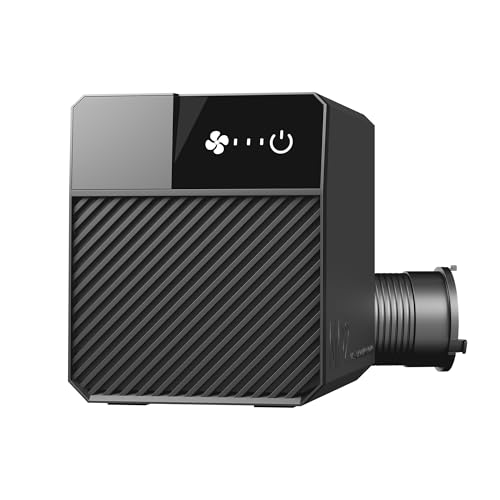
Best Laser Fume Extraction (2026): Ducting Outside Beats Filtering
Cutting anything with a laser vaporises it, and that vapour has to go somewhere. The honest hierarchy is simple and slightly awkward for a buying guide: sending fumes outside through a duct is better than filtering them, and it is also the cheapest option here. Filters are the answer when you have no window, not the upgrade.

Best Beginner 3D Printer 2026: Bambu A1 vs Ender 3 V3 SE vs P1S Combo
The 3D printer market changed completely in 2024–2025, auto-calibration is now table stakes and the "buy a kit and learn to fix it" era is over. Here's how to pick a first printer that just works, plus the budget pick that actually deserves your money and the premium pick that beats the K1 Max on reliability.
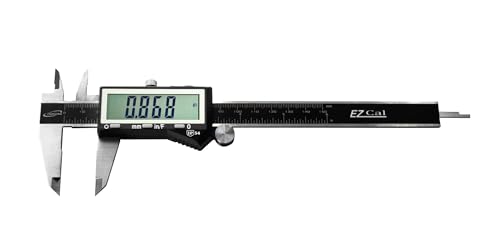
Best Digital Caliper for 3D Printing 2026: iGaging vs Neiko vs Mitutoyo
A digital caliper is the measuring tool that turns 3D printing from guesswork into precision: filament diameter, print dimensions, and the tolerances that make parts fit. The good news: every caliper worth buying resolves finely enough for printing, so the real choice isn't accuracy. It's whether the caliper remembers its zero, survives a dusty workshop, and repeats reliably for years. Here's how the picks stack up.

Best Flush Cutters for 3D Printing (2026): The First Tool You Need
Flush cutters are the tool you reach for after every single print — trimming supports, snipping a stringy blob, cutting filament to a clean point before loading. They are also the tool most often destroyed within a month, because they look like small pliers and people use them to cut wire. One snip through steel puts a permanent notch in the blade, and after that they crush plastic instead of slicing it.

Best Pottery Tool Set (2026): Six of the Twelve Do Nearly Everything
Open a twelve-piece pottery set and six tools will do nearly all your work: the wire cutter, a wooden rib, a metal rib, a loop trimming tool, a sponge and a needle tool. The rest get picked up once, found to duplicate something, and left in the canister for years.

Long Blade Freediving Fins (2026): Stiffness Is Matched to Your Legs, Not Your Ambition
Long blades are not about speed. A long blade moves a large volume of water per kick, so you cover distance at a slow, unhurried cadence instead of a fast one, and on a breath-hold the thing you are conserving is oxygen. A stiff blade you cannot load properly burns more of it than a soft blade you can.