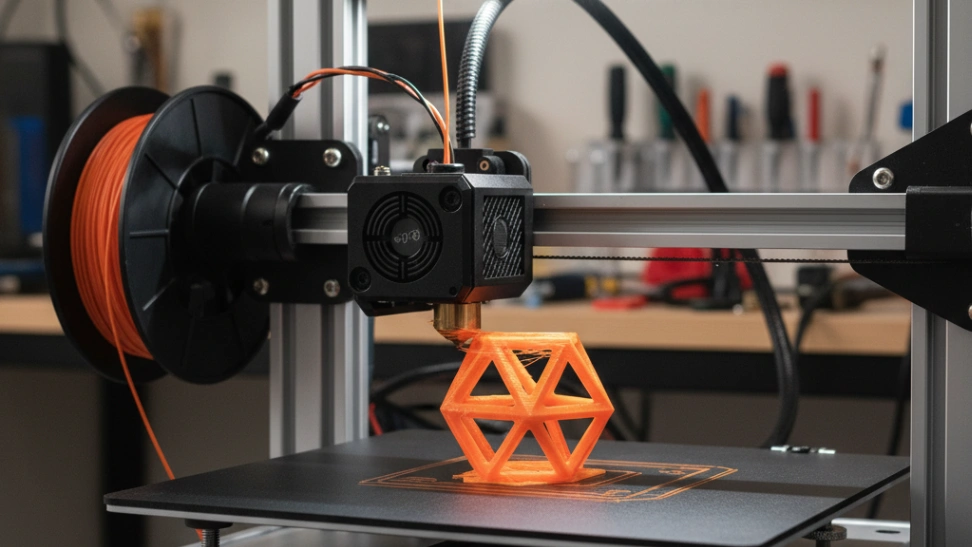
Best Beginner 3D Printer 2026: Bambu A1 vs Ender 3 V3 SE vs P1S Combo
The 3D printer market changed completely in 2024–2025, auto-calibration is now table stakes and the "buy a kit and learn to fix it" era is over. Here's how to pick a first printer that just works, plus the budget pick that actually deserves your money and the premium pick that beats the K1 Max on reliability.
HobbyStack may earn a commission from links on this page at no extra cost to you. Our picks are chosen on merit; the commission helps fund the research.
- For most beginners in 2026, the Bambu Lab A1 Combo is the right answer. Auto-calibration, fast prints out of the box, and the AMS Lite multi-color unit is included — a feature that costs $300+ as an add-on for any other printer. (If $399 is the ceiling, the smaller A1 Mini Combo at ~$359 trades 60mm of build volume to save the $70.)
- On a real budget, the Creality Ender 3 V3 SE at $218 is the new sub-$200ish pick — it has auto bed leveling, CR-Touch, and direct drive. Skip the original Ender 3 V1; that model existed when nothing better was available, and nothing about it is true anymore.
- For going deeper, the Bambu Lab P1S Combo at ~$699 is the safer premium pick over the Creality K1 Max. Enclosed for ABS/ASA, full AMS for 4-color (stackable to 16), same Bambu Studio slicer ecosystem as the A1 so the learning carries over.
- Start with FDM (filament), not resin. Resin produces beautiful detail but the post-processing (alcohol washes, UV curing, fume management) is a second hobby on top of the first. Add it later if you want.
- PLA filament only for the first month. PETG, ABS, TPU, nylon — all later. PLA is forgiving, prints at low temps, and almost every model on Printables.com is designed for it.
 Our pickBambu Lab A1 ComboMost beginners$419Check price
 Creality Ender 3 V3 SETrying it cheap$219Check price
 Bambu Lab P1S ComboGoing deep$549Check price
Why this market changed in 2024–2025
If you bought a 3D printer before 2024, you remember calibration nightmares. Bed levelling by hand with a sheet of paper. Z-offset by eye. Endless first-layer prints to figure out why the corners were curling. The hobby earned a reputation for being "a printer that prints poorly until you fix it yourself."
That changed in late 2023 when Bambu Lab released the X1 Carbon and made auto-calibration table-stakes. Within 18 months, the entire hobbyist market followed. By 2026 the default expectation for a printer under $500 is: unbox, run the start-up wizard, print successfully within an hour. Creality's response — the Ender 3 V3 SE and the K series — finally brought auto-bed-levelling, CR-Touch, and modern interfaces to the budget end. Anycubic and Elegoo have matched.
This matters for beginners specifically. The old "buy an Ender 3 V1 for $200 and learn to fix it" pathway is closed — that printer is now strictly a tinker's project, not a beginner's machine. Today you can buy a printer that just works for $218 (Ender 3 V3 SE) or one that just works and prints in four colors out of the box for $399 (Bambu A1 Combo).
How we picked
We weighted our three picks against the criteria that actually matter for a beginner — not the spec-sheet stuff that matters at the high end:
- Out-of-box reliability: auto bed levelling, automatic flow/temperature calibration, working slicer profile preloaded. Anything that lets you print successfully on day one without YouTube.
- Print quality at default settings: a beginner printing PLA at 0.2mm should get clean walls, sharp corners, no stringing — without tuning anything.
- Build community + documentation: how many YouTube videos, Reddit threads, and Printables profiles exist for this exact model? When you hit a problem, can you Google it?
- Software ecosystem coverage: slicer quality matters more than people expect. Bambu Studio (used by A1 and P1S) is the best in the hobby market in 2026; Creality Print has caught up significantly for their newer machines.
- Replacement parts and support: nozzles, build plates, belts, hot-ends. Will they still be available in two years?
- Footprint and noise: where will it live? Beginners almost always underestimate how much desk space a printer eats and how often they'll want to print at night.
What we explicitly don't care about for a first printer: very large build volumes (you'll print small things first), bleeding-edge CoreXY speed (you're learning the basics), multi-material auto-swap beyond 4 colors (overkill for project one).
 Best for most beginners
Bambu Lab A1 Combo (with AMS lite)
The 2026 default recommendation for a first 3D printer across Tom's Hardware, All3DP, and the major review channels. Auto-calibrates everything, prints fast (500mm/s+ max travel), and the Combo version includes the AMS Lite for four-colour multi-material printing — a feature that costs $300+ as an add-on for any other printer. The slicer software (Bambu Studio) is the best in the hobby market and comes preloaded with optimised profiles for this exact machine. Smaller A1 Mini Combo (~$359) saves $70 if 180³ vs 256³ build volume is a tradeoff you can take.
What's good
- True out-of-box experience — first print in under an hour, no calibration spelunking
- AMS Lite included means you can print multi-colour from day one (most printers cost $300+ extra for this)
- Bambu Studio slicer comes preloaded with optimised profiles for this exact machine
- 256³ mm build is more than 90% of beginner projects need
- Strong active community, weekly software updates, well-stocked parts shop
What's not
- Open frame — can't reliably print ABS, ASA, or nylon (you'd want the P1S for that)
- Closed ecosystem — slicer encourages you to use Bambu's cloud platform; you can opt out but defaults push you in
- Cartesian bedslinger design — slower than the CoreXY P1S for tall prints
 Best under $250
Creality Ender 3 V3 SE
The right sub-$250 pick in 2026 — and a totally different machine from the original Ender 3 V1 that earned the brand its reputation (good and bad). Auto bed levelling via CR-Touch, automatic Z-offset, direct-drive extruder, a modern LED interface, and the sprite extruder design that's been borrowed across the K-series. It still bedslings (you'll feel that on taller prints) and the build volume is smaller (220³) than the Bambu A1, but for $218 you get a beginner machine that *works*, not a project. The huge Ender community still applies — if anything breaks, there are 200 YouTube fixes.
What's good
- Genuinely affordable entry point under $250 with auto bed levelling included
- CR-Touch + auto Z-offset removes the #1 frustration of the old Ender 3 V1
- Direct-drive sprite extruder is a meaningful step up from old Bowden tubes
- Biggest Ender community on the internet — every error has 50 troubleshooting videos
- Modular Creality parts ecosystem — upgrades, replacements, mods all cheap and easy
What's not
- Bedslinger design — slower print times than the Bambu A1 on tall prints
- 220³ build volume is smaller than the A1 (256³) — fine for most beginner work
- Creality Print slicer is decent but not as polished as Bambu Studio
- Single-colour only — no AMS-equivalent option at this price
 When you know you're going deep
Bambu Lab P1S Combo
If you know you'll print weekly, want to print engineering filaments (ABS, ASA, nylon, PC), or need the speed and reliability of a CoreXY machine, the P1S Combo is the cleanest premium step up from the A1 — same Bambu Studio software, same AMS family, just enclosed and CoreXY. The full enclosure matters: it traps heat so ABS and ASA prints don't warp, and it contains the fumes from those materials. Stack up to 4 AMS units for 16-color printing if multi-material is the draw. We swapped from the Creality K1 Max here because the P1S has materially fewer reported QC issues and shares software DNA with the A1 — so the learning you do on a beginner machine carries straight over.
What's good
- Fully enclosed — print ABS, ASA, nylon, polycarbonate without warping
- CoreXY motion — faster on tall prints, better quality at high speeds
- Same Bambu Studio slicer + AMS ecosystem as the A1 (learning carries over)
- AMS stackable to 4 units / 16 colours — top-end multi-material capability
- Active community, fast firmware updates, well-stocked parts
What's not
- Significant first-time investment ($699+) — overkill if PLA is all you'll print
- Smaller build volume than the K1 Max (256³ vs 300³) — if you specifically need bigger prints, look at the K1 Max or wait for the X1E
- Enclosed chamber adds setup complexity vs the open A1
- Bambu cloud is encouraged by default — you can run local, but it's extra setup
Avoid anything with "3D printer" in the name under $150 (always low-grade kits, broken auto-bed-levelling, no community support); the original Creality Ender 3 V1 (the V3 SE is the same brand for the same money, dramatically better machine); resin printers as a first machine (excellent at what they do but the workflow is a second hobby); printers from brands you've never heard of on Temu/AliExpress at "$99 deal" prices — replacement parts won't exist in 12 months. The hobby is mature enough now that the big four (Bambu Lab, Creality, Prusa, Anycubic) cover every real use case.
How to choose between the three
Pick the Bambu A1 Combo if you want to spend your time printing things, not fixing your printer. This is 90% of beginners. The multi-colour AMS Lite that's bundled in is a hidden $300 upgrade — bundles are routinely the best deal in this market. Step down to the A1 Mini Combo (~$359) if budget is tight or you want a smaller footprint.
Pick the Ender 3 V3 SE if your budget is genuinely under $250 and you want a printer that works (not a project to learn on like the V1 was). The V3 SE has the auto-leveling and direct-drive extruder the V1 lacked. You give up multi-color and some speed compared to the Bambu, but you get the entire Creality community and a real working printer for $218.
Pick the P1S Combo if you know you'll print engineering materials (ABS, ASA, nylon, PC), you want CoreXY speed, or you want the maximum-capability machine that still shares software DNA with the A1. The enclosed chamber unlocks materials the A1 can't touch. If you need the largest possible build volume above all else, look at the Creality K1 Max (300³) or wait for the next Bambu X-series — both are heavier first-machine investments.
Whichever you pick: get a 1kg spool of decent PLA at the same time (Overture, Hatchbox, Bambu, or Polymaker — under $25). Start with the default slicer settings. Print the model that comes with the printer first to verify everything works, then download something useful from Printables.com.
Before you buy
Measure your space. All three printers need at minimum a 60×60cm flat surface that can take ~10kg of weight and won't vibrate. The P1S needs more like 50×50cm because it's enclosed but taller.
Plan for the filament. Each 1kg spool is ~20cm wide and you'll accumulate them fast. A small cube shelf next to the printer beats stuffing them in a closet.
Buy a spare nozzle. Nozzles wear out in 6–12 months of regular printing. A pack of three brass nozzles is under $10. Save yourself the day-of frustration when you need to swap one.
Get the right build plate. The Bambu machines and the Ender 3 V3 SE all ship with PEI build plates that work well. First-layer adhesion is the #1 beginner failure mode — keep the plate clean with isopropyl alcohol and don't touch the surface with bare fingers.
Download the slicer software now. Bambu Studio (Bambu) and Creality Print (Creality) are both free. You can use them to slice models before your printer even arrives so you understand the workflow.
Common questions about choosing your first 3D printer
Bambu Lab vs Creality vs Prusa — which brand should I buy?
A1 Combo vs A1 Mini Combo — what's the real tradeoff?
Why P1S over the Creality K1 Max for the premium pick?
Can I really print useful things with a 3D printer or is it just toys?
How much does it cost per month to run a 3D printer?
Do I need to learn CAD design to use a 3D printer?
Will my printer be noisy? Can I run it overnight?
Should I get a heated enclosure?
For most people, the Bambu Lab A1 Combo is the buy — the best balance of price, quality, and longevity. Want to spend less? The Creality Ender 3 V3 SE gets you started for a fraction of the cost. Ready to go deeper? The Bambu Lab P1S Combo is the upgrade.
Ready to actually do it?
The first 3d printing quest takes an evening, and it tells you whether the gear was worth it better than any review can.
Start 3D PrintingThe HobbyStack editorial team researches each guide against manufacturer specifications, published resources and practitioner sources. Every product is checked for availability and described against its current listing before publication, and prices are re-checked when guides are updated.
About our editorial process →More gear guides
All guides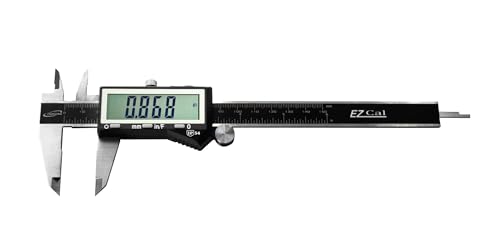
Best Digital Caliper for 3D Printing 2026: iGaging vs Neiko vs Mitutoyo
A digital caliper is the measuring tool that turns 3D printing from guesswork into precision: filament diameter, print dimensions, and the tolerances that make parts fit. The good news: every caliper worth buying resolves finely enough for printing, so the real choice isn't accuracy. It's whether the caliper remembers its zero, survives a dusty workshop, and repeats reliably for years. Here's how the picks stack up.

Best Flush Cutters for 3D Printing (2026): The First Tool You Need
Flush cutters are the tool you reach for after every single print — trimming supports, snipping a stringy blob, cutting filament to a clean point before loading. They are also the tool most often destroyed within a month, because they look like small pliers and people use them to cut wire. One snip through steel puts a permanent notch in the blade, and after that they crush plastic instead of slicing it.

Best Multimeter for Beginners 2026: AstroAI vs Fluke 101 vs Fluke 117
A multimeter is the first diagnostic tool any electronics or robotics hobbyist needs, it tells you what your circuit is actually doing. The good news for beginners: on the low-voltage DC work most hobbies involve, a $35 meter reads the same as a $380 Fluke. The real decision is about voltage and true-RMS, how much power you're measuring, and whether the AC is a clean sine wave. Here's the honest breakdown.
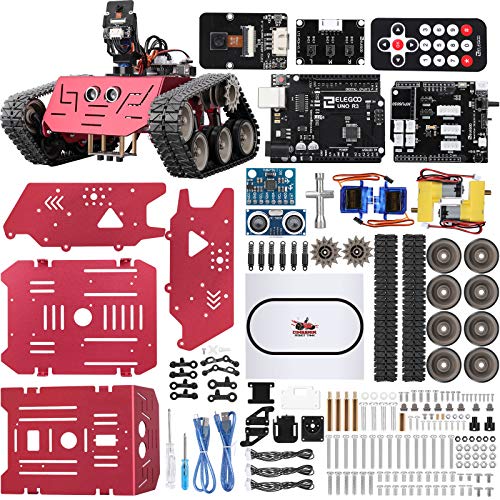
Best Robotics Starter Kit (2026): Build It or Just Code It
Robotics kits split into two philosophies that suit very different people. One gives you loose components and a wiring diagram, so you learn electronics on the way to a working robot. The other gives you a finished robot and asks what you want it to do. Neither is better — but buying the wrong one is the most common way a kit ends up in a cupboard half-built.

Best Laser Engraver for Beginners (2026): Diode to Enclosed
A laser engraver burns designs into wood, leather, acrylic, and slate, and cuts thin materials, all from a design on your computer. For a beginner the two things that matter are power (how thick you can cut) and whether the machine is open-frame or enclosed (safety and mess). Here are three good ones, from an affordable 10W diode to a fully enclosed xTool you can run on the kitchen table.
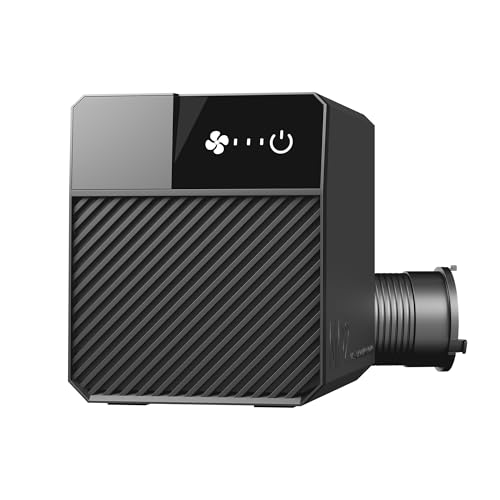
Best Laser Fume Extraction (2026): Ducting Outside Beats Filtering
Cutting anything with a laser vaporises it, and that vapour has to go somewhere. The honest hierarchy is simple and slightly awkward for a buying guide: sending fumes outside through a duct is better than filtering them, and it is also the cheapest option here. Filters are the answer when you have no window, not the upgrade.