Best DJ Controller for Beginners (2026): Mix Out of the Box
A DJ controller is an all-in-one setup, two decks, a mixer, and a sound card in one unit, that plugs into your laptop and lets you actually mix out of the box with the included software. For a beginner the key thing is that it works with pro software (rekordbox or Serato) so your skills carry over to club gear. Here are three good ones, from a learning-focused controller to a 4-channel step up.
HobbyStack may earn a commission from links on this page at no extra cost to you. Our picks are chosen on merit; the commission helps fund the research.
- A controller combines two decks, a mixer, and a sound card in one unit that plugs into a laptop. It is a complete DJ setup.
- Two channels (two decks) is all you need to learn: you are just blending one track into another.
- Buy one that uses rekordbox or Serato, the industry-standard software, so your skills transfer to club and festival gear.
- A controller, a laptop, and headphones is enough to start. You do not need speakers or expensive club decks.
 Hercules DJControl Inpulse 300 MK2Learning to beatmatch for the least$243Check price
 Our pickPioneer DJ DDJ-FLX4The class-standard starter most should buy$329Check price
 AlphaTheta DDJ-GRV6 4-Channel ControllerA 4-channel setup you grow into$899Check price
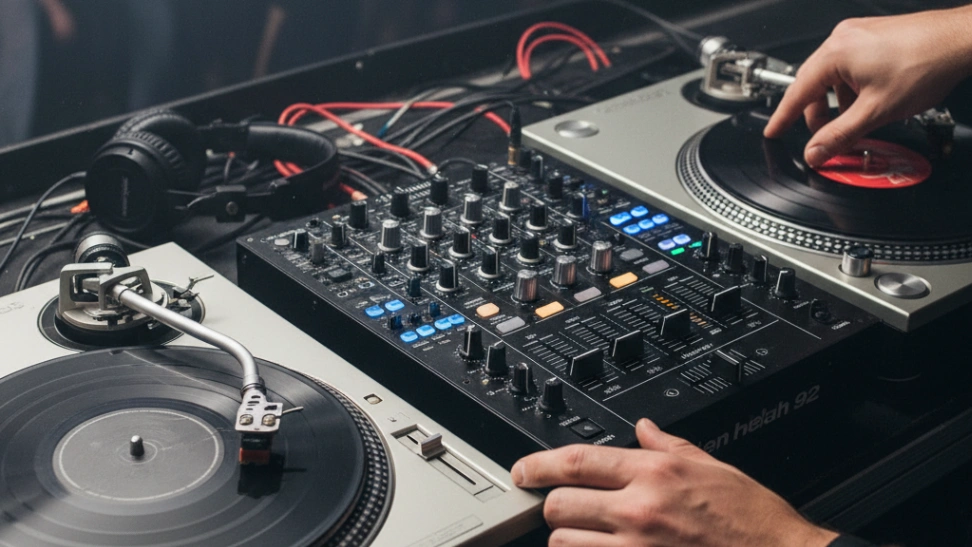
Modern DJing is far more accessible than the old world of turntables and crates of vinyl, and a controller is why. A DJ controller puts everything in one box: two (or more) jog wheels that act as your decks, a mixer section with faders and EQ in the middle, and a built-in sound card so you can hear the next track in your headphones while the current one plays out loud. It connects to your laptop over USB and drives DJ software that holds your music library. With the software that comes in the box, you can be mixing two songs together within an hour of unboxing, which is the fastest, cheapest way into the craft.
Two things guide the choice. First, channels: two-channel controllers (two decks) are all a beginner needs, because mixing is fundamentally about blending one track into the next, and you can learn every core skill on two decks. Four-channel units let you juggle more tracks at once, which is a later ambition, not a starting requirement. Second, and more important, the software: buy a controller made for rekordbox or Serato DJ, the two programs that run in real clubs and festivals, so everything you learn transfers directly to the CDJs you will find behind a booth. Learning-focused features, like on-board guides that teach beatmatching, are a nice bonus on top.
 Best budget controller
Hercules DJControl Inpulse 300 MK2
The controller built specifically to teach you. The Hercules DJControl Inpulse 300 MK2 is designed for brand-new DJs: its standout feature is the Beatmatch Guide, on-board light guides that show you how to manually align two tracks by ear and hand, which is the core skill of DJing. It has a full two-deck layout, a built-in sound card, and comes with DJ software (and works with streaming services), so you can mix the moment it arrives. For learning the fundamentals on a budget, nothing else holds your hand quite like it.
What's good
- Beatmatch Guide teaches the core skill
- Full 2-deck layout, built-in sound card
- Included software, works with streaming
- Great value for a real controller
What's not
- Hercules software, less club-standard than rekordbox/Serato
- You may outgrow it as skills grow
 Best for most beginners
Pioneer DJ DDJ-FLX4
The controller most beginners should buy. The Pioneer DJ DDJ-FLX4 is the class standard for good reason: it works with both rekordbox and Serato DJ (the two programs used in real clubs), so the layout and skills you learn transfer straight to professional gear. It has a proper Pioneer pro layout, a built-in sound card, streaming support, and a lightweight, portable body. Pioneer DJ is the name behind most club booths, so starting here means you are learning on the ecosystem you will actually DJ in. The no-overthinking pick.
What's good
- Works with rekordbox AND Serato (club standards)
- Pioneer pro layout, skills transfer
- Built-in sound card, streaming support
- Portable and well supported
What's not
- Software fully unlocked may need a paid tier
- Two channels (not four)
 Best to grow into
AlphaTheta DDJ-GRV6 4-Channel Controller
The controller for when two decks are no longer enough. The AlphaTheta DDJ-GRV6 (AlphaTheta is the company behind Pioneer DJ) is a 4-channel performance controller: it lets you mix up to four tracks at once and adds creative Groove Circuit performance features for building energy in a set. It is far more than a first-timer needs, but if you already know you want to push into more advanced, layered mixing, or you are aiming toward gigging, it is a controller you will grow into rather than out of. A real step up in capability.
What's good
- Four channels for layered mixing
- Creative performance features
- From the Pioneer DJ family (AlphaTheta)
- Grows with you toward gigging
What's not
- Well beyond what a beginner needs
- A big jump in price
You do not need speakers, club CDJs, or expensive gear to begin DJing. A controller, a laptop running the included software, and a pair of headphones is a complete practice setup: you mix in your headphones and can play out through your laptop speakers or any powered speaker later. Focus your money on a controller that uses rekordbox or Serato so your skills transfer, and spend your first weeks just learning to beatmatch and blend two tracks.
Which to buy: want a controller that actively teaches you to beatmatch, for the least? The Hercules Inpulse 300. Want the class standard that runs club software and transfers your skills to real gear? The Pioneer DDJ-FLX4 is the easy pick for most. Already sure you want to push into 4-channel, performance mixing? The AlphaTheta DDJ-GRV6.
Before you buy
Start on two channels. Every core skill (beatmatching, EQ blending, phrasing) is learned mixing two tracks.
Choose rekordbox or Serato so your skills and layout carry over to the CDJs in real clubs.
You only need the controller, a laptop, and headphones to practise. Add speakers later.
Spend your first weeks just beatmatching by ear before leaning on sync, so you understand what is happening.
DJ controller questions
What is a DJ controller?
How many channels do I need as a beginner?
Does the software matter?
What else do I need to start DJing?
Should I learn to beatmatch by ear or use sync?
Which controller should a beginner buy?
For most beginners the Pioneer DJ DDJ-FLX4 is the pick: the class-standard 2-channel controller that runs club software (rekordbox and Serato), so everything you learn transfers to real gear. Want a controller that actively teaches you to beatmatch for less? The Hercules Inpulse 300 MK2. Already aiming for advanced 4-channel mixing? The AlphaTheta DDJ-GRV6. Whatever you choose, all you need to start is the controller, a laptop, and headphones.
Ready to actually do it?
The first djing quest takes an evening, and it tells you whether the gear was worth it better than any review can.
Start DJingThe HobbyStack editorial team researches each guide against manufacturer specifications, published resources and practitioner sources. Every product is checked for availability and described against its current listing before publication, and prices are re-checked when guides are updated.
About our editorial process →More gear guides
All guides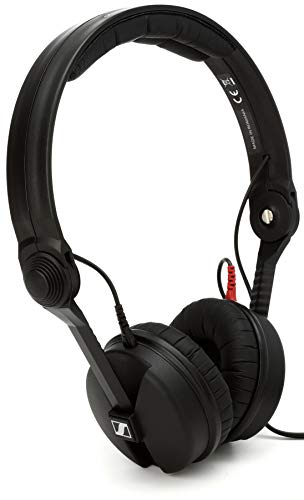
Best DJ Headphones (2026): Loud Rooms, One Ear, and a Cable That Survives
DJ headphones are not judged the way listening headphones are. You are cueing a track against a loud room, usually with one ear on and one off, often with the headphones half-hanging off your head, and the pair that wins is the one that isolates well and does not break at the cable. Sound quality matters less than either of those.

Best Powered Speakers for DJing (2026): 3 Picks for Beginners
Powered speakers (also called active speakers) are the simplest way to actually hear your mixes out loud: the amplifier is built into the cabinet, so you just plug your controller in and go, with no separate amp to buy or match. For a beginner DJ the things that matter are whether it is active, the size (12 or 15 inch), and the wattage, and the honest truth is you want two of them for proper stereo sound. Here are three good ones, from an affordable Mackie to a QSC that is a genuine industry standard.

Best Hot Glue Gun for Cosplay (2026): High Temperature Melts EVA Foam
Most buying guides assume the most powerful option is the best one. Cosplay inverts that. EVA foam, the material most armour is built from, deforms and melts at the temperature an industrial glue gun runs at, so the 220 watt professional gun is the wrong tool for the job people most often buy it for.

Best Rotary Tool for Beginners (2026): 3 Dremel Kits for Crafts and Cosplay
A rotary tool is the little handheld workhorse that sands, grinds, cuts, engraves, and polishes almost any material, which is why it is a staple for cosplay, model-making, jewelry, and general crafting. For a first one the honest advice is simple: buy a real Dremel. The cheap copies wobble, overheat, and lose power under load, while a genuine Dremel is smooth, holds its speed, and takes the huge range of accessories you will actually want. The three here climb Dremel's own lineup, from a capable entry kit to the flagship.

Best Voice Recorder for Actors (2026): Hearing Yourself Is the Whole Point
Actors improve fastest by hearing themselves, because the performance you feel giving is not the performance that arrives. A recorder makes that gap visible — the rushed line, the dropped ending, the habit you did not know you had. What surprises most people is that the room you record in matters more to the result than the device you record with.

Best Beginner Drum Kits: Electronic vs Acoustic and What to Buy First
For most beginners the real decision is not which kit: it is electronic or acoustic, and that usually comes down to how much noise your home can take. Here are the three kits worth buying, how we chose them, and what to expect once you start playing.