Best Smart Lights for Beginners (2026): 3 Picks from a $10 Bulb to a Full Hue Setup
Smart lighting is the easiest, most satisfying way into a smart home, and the first real decision is not brand but plumbing: do you want bulbs that connect straight to your Wi-Fi, or a system that runs on its own hub? Wi-Fi bulbs are cheap and take two minutes to set up, but they get slower and flakier the more you add. A hub system like Philips Hue costs more up front for the little bridge box, but it stays rock-solid across dozens of lights and reacts instantly. Here are three good starting points, from a single cheap Wi-Fi bulb to try the idea, to a proper hub-based Hue setup you can grow for years.
HobbyStack may earn a commission from links on this page at no extra cost to you. Our picks are chosen on merit; the commission helps fund the research.
- The first choice is Wi-Fi bulbs vs a hub. Wi-Fi bulbs (like Kasa) are cheap and need no extra box, but a hub system (like Philips Hue) is far more reliable once you have more than a handful of lights.
- Start with one bulb to see if you like it. A single cheap Wi-Fi bulb costs about the price of lunch and tells you whether smart lighting is for you before you commit to a system.
- If you know you want a proper smart home, buy into Hue. The starter kit includes the hub, so every Hue light you add later just works, instantly and reliably.
- Colour is fun but optional. 'White ambiance' bulbs (warm to cool white) do most of what people actually use daily; full colour costs more and is more of a party trick.
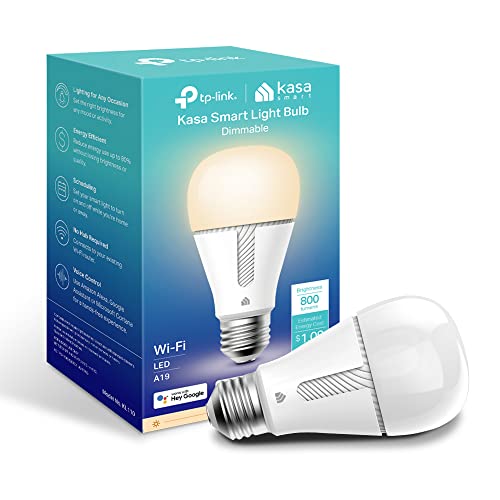 Kasa Smart Bulb A19Trying smart lighting for the price of lunch$12Check price
 Our pickPhilips Hue Smart Light Bulbs Starter KitThe proper smart-home foundation most should buy$73Check price
 Philips Hue Starter Kit: Bridge Pro + 4 A19 E26 Smart BulbsGoing all-in on a bigger, colour smart-home setup$242Check price
The one decision that shapes everything is how your bulbs connect. Wi-Fi smart bulbs, like the Kasa here, join your home Wi-Fi directly, so you screw them in, open an app, and you are done in a couple of minutes with no extra hardware. That is perfect for one or two lights. The catch is that every bulb becomes another device on your Wi-Fi, and once you have ten or fifteen of them, cheap Wi-Fi bulbs can get sluggish, drop offline, and clog your router. A hub system, like Philips Hue, instead comes with a small box (the Bridge) that plugs into your router and talks to the bulbs over their own dedicated wireless network. It costs more to start because you are buying that hub, but it stays fast and reliable across dozens of lights, reacts the instant you hit a switch or a schedule, and keeps working smoothly at a scale where Wi-Fi bulbs start to struggle.
So the honest way to choose is by how far you think you will take this. If you are curious and just want to dip a toe in, one Wi-Fi bulb is the right, cheap call, and you lose almost nothing if you decide it is not for you. If you already know you want a real smart home, with lights through the house on schedules, scenes, and voice control, it is worth buying into a hub system like Hue from the start, because building your whole house on cheap Wi-Fi bulbs and then migrating later is the mistake people regret. Hue is the beginner-friendly default here: it is the most polished and widely supported ecosystem, works with Alexa, Google, and Apple Home, and its starter kits include the hub so you are set up to expand. The other real question is colour: full colour bulbs look great in photos, but most people mostly use adjustable white (warm in the evening, cool for work), so do not feel you must pay extra for colour everywhere.
 Best way to try it
Kasa Smart Bulb A19
The cheapest, lowest-commitment way to find out if you like smart lighting at all. The Kasa Smart Bulb connects straight to your home Wi-Fi with no hub or bridge to buy, so you screw it in, scan a code in the Kasa app, and in two minutes you can dim it, schedule it, and control it by voice through Alexa or Google. For a bedside lamp, a porch light on a timer, or just proving the idea to yourself, it is genuinely all you need, and it costs about the price of a sandwich. Kasa is TP-Link's well-reviewed, reliable budget range, so this is a safe, no-drama first bulb. The limitation is the one every Wi-Fi bulb shares: it is great for a few lights, but if you later want fifteen or twenty smart bulbs across the house, a hub system will hold up better. As a first taste, though, it is perfect.
What's good
- Extremely cheap, about the price of lunch
- No hub needed, connects straight to Wi-Fi
- Set up in two minutes with the Kasa app
- Works with Alexa and Google voice control
What's not
- Wi-Fi bulbs get less reliable once you have many of them
- This one is dimmable white, not colour
 Best for most people
Philips Hue Smart Light Bulbs Starter Kit
The kit most people should buy if they are serious about a smart home, because it sets you up on the right foundation from day one. A Philips Hue starter kit includes the Hue Bridge, the little hub that plugs into your router and runs your lights on their own dedicated network, plus the bulbs to get going. That hub is the whole point: lights react instantly, schedules and scenes are rock-solid, and every Hue light, strip, or lamp you add later just connects and works, up to around fifty of them, without bogging down your Wi-Fi. Hue is the most polished and best-supported smart-lighting ecosystem, working with Alexa, Google, and Apple Home, so it fits whatever phone and speakers you own. It costs more than a single Wi-Fi bulb because you are buying the hub and the ecosystem, but that is exactly what makes it the sensible long-term choice. Buy this, and expanding your smart home from here is easy.
What's good
- Includes the Hue Bridge, so it is fast and rock-solid
- Every Hue light you add later just works
- Works with Alexa, Google, and Apple Home
- The most polished, widely supported ecosystem
What's not
- Costs more up front than plain Wi-Fi bulbs
- The Bridge takes one spare router port
 Best to grow into
Philips Hue Starter Kit: Bridge Pro + 4 A19 E26 Smart Bulbs
The pick for someone who already knows they want to light up much of their home and wants headroom to grow. This kit is built around the newer Philips Hue Bridge Pro, the upgraded hub that supports more lights and more advanced features than the standard Bridge, and it comes with four full-colour A19 bulbs to start you off in more than one room. If your plan is smart lighting throughout the house, with colour scenes, whole-room automations, and effects that sync to music or your TV, this is the foundation that will not run out of room. It is the most expensive option here and more than a casual user needs, but for a genuine, house-wide Hue setup it is the right base to build on, and like all Hue it works with Alexa, Google, and Apple Home. If you only want a couple of smart lights, the standard starter kit above is plenty; this is for going all in.
What's good
- Newer Bridge Pro supports a bigger, more capable setup
- Comes with four full-colour bulbs to start
- Ideal foundation for whole-house smart lighting
- Full Alexa, Google, and Apple Home support
What's not
- The most expensive option here
- More than a casual user needs for a few lights
Almost every smart-lighting regret comes from this choice. Wi-Fi bulbs (like the Kasa) are cheap and need no extra hardware, which is perfect for one to three lights, but they lean on your home Wi-Fi and get slower and less reliable as you add more. A hub system (like Philips Hue) costs more to start because you buy the little Bridge box, but it runs your lights on their own network so they stay instant and dependable across dozens of bulbs. If you are just trying the idea, buy a Wi-Fi bulb. If you know you want a real smart home, start with a hub, because rebuilding on a hub later means replacing everything.
Which to buy: just curious, or want one lamp you can dim and schedule by voice? The Kasa Wi-Fi bulb, cheap and hub-free. Ready to build a proper, reliable smart home you will expand over time? The Philips Hue starter kit with the Bridge is the foundation most people should own. Planning colour lighting throughout the house with scenes and sync effects? The Hue Bridge Pro kit gives you the room to grow. Whatever you pick, you control it all from one app and, if you like, your voice assistant.
Before you buy
Check the fitting and shape before you buy. Most smart bulbs are the standard E26 screw fitting used in the US, but confirm it matches your lamps or fixtures, and check you want an A19 (standard bulb), a BR30 (recessed can), or a candelabra shape.
You do not have to smarten every light. Put smart bulbs where you actually change the lighting (living room, bedroom, porch) and leave closets and rarely-used rooms on normal bulbs to save money.
Leave the wall switch on. A smart bulb only works when it has power, so if someone flips the wall switch off, the app and voice control stop working. Smart switches or keeping the switch on avoids this.
Set up a voice assistant to get the most out of it. Linking Hue or Kasa to Alexa, Google, or Apple Home lets you say 'turn off all the lights' and set routines, which is where smart lighting really earns its place.
Full-colour bulbs are the headline feature, but be honest about how you will use your lights day to day. Most people mostly want warm white in the evening and brighter, cooler white for tasks, which 'white ambiance' bulbs do for less money. Colour is genuinely fun for accent lights, a media room, or parties, but paying the colour premium for every ceiling light in the house is money many people wish they had saved. A good mix is colour where it is fun and adjustable white everywhere practical.
Beginner smart-lighting questions
Do I need a hub for smart lights?
Which smart light should a beginner buy?
Are Philips Hue lights worth the extra money?
Do smart bulbs work if the wall switch is off?
Do I need colour smart bulbs?
Do smart lights work with Alexa and Google?
For most people, the Philips Hue starter kit with the Bridge is the pick: it sets you up on a fast, reliable, expandable foundation where every light you add later just works. If you only want to try the idea, a single Kasa Wi-Fi bulb is cheap, needs no hub, and takes two minutes to set up. If you are going all in on colour lighting throughout the house, the larger Hue Bridge Pro kit gives you room to grow. The real decision is Wi-Fi bulbs versus a hub: buy a Wi-Fi bulb to dabble, but start with a hub like Hue if you want a proper smart home you will not have to rebuild.
Ready to actually do it?
The first home automation quest takes an evening, and it tells you whether the gear was worth it better than any review can.
Start Home AutomationThe HobbyStack editorial team researches each guide against manufacturer specifications, published resources and practitioner sources. Every product is checked for availability and described against its current listing before publication, and prices are re-checked when guides are updated.
About our editorial process →More gear guides
All guides
Best Smart Thermostat for Beginners (2026): 3 Picks That Cut Your Heating Bill
A smart thermostat is one of the few smart-home gadgets that pays for itself, by learning your schedule and not heating an empty house, most people save enough on energy to cover the cost within a couple of years. The first thing to check is not which brand but whether your heating system is compatible (most standard systems are, but you need to check your wiring, especially the 'C' wire). After that, the choice comes down to how hands-off you want it: a simple app-controlled thermostat, or one that learns and adjusts on its own. Here are three good ones, from an affordable no-frills model to a premium learning thermostat with room sensors.

Best Laser Engraver for Beginners (2026): Diode to Enclosed
A laser engraver burns designs into wood, leather, acrylic, and slate, and cuts thin materials, all from a design on your computer. For a beginner the two things that matter are power (how thick you can cut) and whether the machine is open-frame or enclosed (safety and mess). Here are three good ones, from an affordable 10W diode to a fully enclosed xTool you can run on the kitchen table.
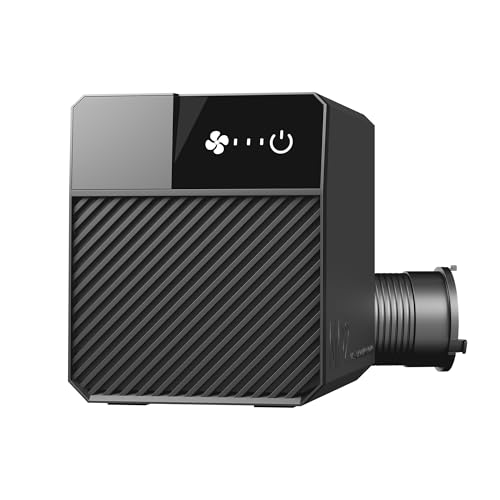
Best Laser Fume Extraction (2026): Ducting Outside Beats Filtering
Cutting anything with a laser vaporises it, and that vapour has to go somewhere. The honest hierarchy is simple and slightly awkward for a buying guide: sending fumes outside through a duct is better than filtering them, and it is also the cheapest option here. Filters are the answer when you have no window, not the upgrade.

Best Beginner 3D Printer 2026: Bambu A1 vs Ender 3 V3 SE vs P1S Combo
The 3D printer market changed completely in 2024–2025, auto-calibration is now table stakes and the "buy a kit and learn to fix it" era is over. Here's how to pick a first printer that just works, plus the budget pick that actually deserves your money and the premium pick that beats the K1 Max on reliability.
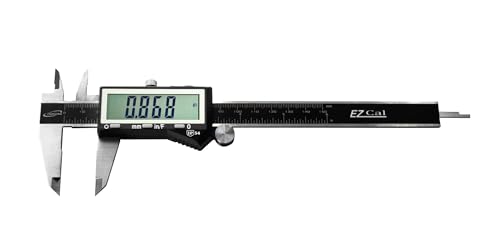
Best Digital Caliper for 3D Printing 2026: iGaging vs Neiko vs Mitutoyo
A digital caliper is the measuring tool that turns 3D printing from guesswork into precision: filament diameter, print dimensions, and the tolerances that make parts fit. The good news: every caliper worth buying resolves finely enough for printing, so the real choice isn't accuracy. It's whether the caliper remembers its zero, survives a dusty workshop, and repeats reliably for years. Here's how the picks stack up.

Best Flush Cutters for 3D Printing (2026): The First Tool You Need
Flush cutters are the tool you reach for after every single print — trimming supports, snipping a stringy blob, cutting filament to a clean point before loading. They are also the tool most often destroyed within a month, because they look like small pliers and people use them to cut wire. One snip through steel puts a permanent notch in the blade, and after that they crush plastic instead of slicing it.