Best Gaming Monitor for Beginners (2026): 3 Picks from 1080p to 240Hz
Your first proper gaming monitor is one of the biggest upgrades you can make, and it comes down to three numbers: resolution (how sharp), refresh rate (how smooth), and response time (how quick). The one you feel most is refresh rate. Going from an ordinary 60Hz screen to 144Hz or more makes everything look noticeably smoother, and it is the whole reason to buy a gaming monitor. Here are three good ones, from an affordable 1080p screen to get you into high-refresh gaming, up to a fast 240Hz do-it-all display.
HobbyStack may earn a commission from links on this page at no extra cost to you. Our picks are chosen on merit; the commission helps fund the research.
- Refresh rate is the upgrade you feel most. Going from a normal 60Hz screen to 144Hz or higher makes games look much smoother, and it is the main reason to buy a gaming monitor.
- For most people the sweet spot is a 27-inch 1440p screen at 165Hz or more: sharper and more immersive than 1080p, without needing a monster PC to run it.
- Match the monitor to your machine. A budget PC or a console is happiest at 1080p; only step up to 1440p high-refresh if your graphics card or console can actually push those frames.
- Get a monitor with FreeSync or G-Sync. It syncs the screen to your frame rate and stops the ugly tearing you get without it. Do not pay much attention to 1ms response-time claims, which are mostly marketing.
 ASUS TUF Gaming VG249QE5A 24-Inch Gaming MonitorA first high-refresh screen on a budget$127Check price
 Our pickAcer Nitro 27-Inch 1440p 180Hz Curved Gaming MonitorThe 1440p sweet spot most should buy$160Check price
 LG UltraGear 27GR83Q-B 27-Inch 240Hz Gaming MonitorCompetitive speed and a do-it-all screen$311Check price
Three numbers decide how a gaming monitor feels. Resolution is how sharp the picture is: 1080p (Full HD) is fine on a 24-inch screen and easy for any PC or console to drive, while 1440p (QHD) looks noticeably crisper and is the sweet spot on a 27-inch screen, though it asks more of your graphics card. Refresh rate, measured in Hz, is how many times per second the screen updates, and it is the big one: jumping from 60Hz to 144Hz or beyond makes motion look smooth and is the single change you will notice most. Response time is how fast each pixel changes; nearly every gaming monitor claims 1ms, so it is not worth agonizing over. What does matter alongside those is the panel type (IPS gives the best color and viewing angles, VA gives deeper contrast and blacks) and adaptive sync (FreeSync or G-Sync), which locks the screen to your frame rate so you do not get tearing.
After that, the honest deciding factor is your hardware. A high-refresh 1440p monitor only helps if your PC or console can push those frames, so match the two. If you are on a budget build, an older PC, or a Nintendo Switch, a 1080p 144Hz screen is the right call and your machine will actually drive it. If you have a reasonably capable graphics card, or a PS5 or Xbox Series X, a 27-inch 1440p monitor is the upgrade worth making, and it is where most people should land. Step up to a 240Hz screen if you play fast competitive shooters and have the PC to feed it, or you just want one screen that does everything well for years. You can always turn game settings down to hit higher frame rates, so it is fine to buy slightly ahead of your current PC if you plan to upgrade.
 Best budget gaming monitor
ASUS TUF Gaming VG249QE5A 24-Inch Gaming Monitor
The most affordable way into real high-refresh gaming from a brand you can trust. The ASUS TUF VG249QE5A is a 24-inch 1080p screen that runs at 144Hz (146Hz overclocked), and the jump from a normal 60Hz display to this is the single most satisfying upgrade a new gamer can make. It uses an IPS panel, so colors and viewing angles are good rather than the washed-out look of cheap old gaming screens, and it has ELMB motion-blur reduction and adaptive sync to keep fast motion clean and tear-free. At 24 inches and 1080p it is easy for a budget PC, laptop, or console to drive at full frame rate, which is exactly the point. The stand only tilts (no height adjustment) and it is not the screen for detailed 1440p work, but for the money it is a lot of honest, smooth gaming, backed by a 3-year warranty.
What's good
- 144Hz is a huge, obvious upgrade over a 60Hz screen
- IPS panel gives good color and viewing angles
- Easy for a budget PC, laptop, or console to run at 1080p
- Trusted brand with a 3-year warranty
What's not
- Stand only tilts, with no height adjustment
- 1080p is less sharp than 1440p on bigger screens
 Best for most gamers
Acer Nitro 27-Inch 1440p 180Hz Curved Gaming Monitor
The monitor most people should buy, because it hits the sweet spot on size, sharpness, and speed. The Acer Nitro is a 27-inch 1440p (QHD) screen, which looks noticeably crisper and more immersive than 1080p, and it runs at a fast 180Hz. Its gentle 1500R curve wraps the picture slightly toward you, which pulls you into a game more than a flat screen, and AMD FreeSync Premium keeps everything tear-free. It uses a VA panel, so it trades a little of IPS's color and viewing-angle quality for richer contrast and deeper blacks, which many people prefer for immersive single-player games. You will want a graphics card, or a PS5 or Xbox Series X, that can push 1440p to get the most from it. The stand only tilts, but for the price this is a big, sharp, fast, immersive screen that most gamers will be very happy with.
What's good
- 27-inch 1440p is sharper and more immersive than 1080p
- Fast 180Hz with FreeSync Premium for tear-free motion
- Curved VA panel gives rich contrast and deep blacks
- Great size-to-speed value for the money
What's not
- VA panel has slightly weaker viewing angles than IPS
- Stand only tilts, and you need a 1440p-capable PC or console
 Best to grow into
LG UltraGear 27GR83Q-B 27-Inch 240Hz Gaming Monitor
The screen for someone who wants speed and quality they will not outgrow. The LG UltraGear 27GR83Q-B is a 27-inch 1440p IPS display that runs at a very fast 240Hz, so it pairs the crisp color and viewing angles of IPS with the kind of smoothness competitive players chase. It is officially validated as NVIDIA G-Sync Compatible and also supports AMD FreeSync Premium, so it is tear-free whatever graphics card you own, and it adds HDMI 2.1 for the latest consoles, DisplayHDR 400, and wide DCI-P3 color. Unlike the cheaper picks, it comes on a proper stand that adjusts for height and pivots, which makes it far comfier for long sessions. It is the priciest here and more monitor than a casual player needs, and you will want a strong PC to feed 240 frames, but it is a genuine buy-once screen that handles fast shooters and everything else beautifully.
What's good
- Fast 240Hz on a color-accurate IPS panel
- Officially G-Sync validated and FreeSync Premium, so tear-free on any GPU
- Full height and pivot stand, plus HDMI 2.1 for consoles
- A genuine buy-once screen you grow into
What's not
- Priciest of the three
- You need a strong PC to actually push 240 frames
A 1440p 240Hz monitor is only as good as the frames your machine can push to it. Before you buy, check what your graphics card or console can realistically do: a mid-range or older PC pairs best with the 1080p pick, a capable graphics card or a PS5 or Xbox Series X suits the 27-inch 1440p screens, and 240Hz is only worth it if you have the PC to drive high frame rates in the games you play. The good news is you can always turn game settings down to hit more frames, so it is fine to buy slightly ahead of your current PC if you plan to upgrade. Just do not expect a fast monitor to make a slow computer feel fast on its own.
Which to buy: on a budget, an older PC, or a Switch, and want the biggest smoothness upgrade for the least? The ASUS TUF 24-inch. Have a decent graphics card or a current console and want the 1440p sweet spot most people should own? The Acer Nitro 27-inch. Play competitive shooters or just want one fast, color-accurate screen to keep for years? The LG UltraGear 240Hz.
Before you buy
Check your graphics card or console can push the resolution and frame rate. A PS5 or Xbox Series X tops out around 1440p 120Hz; a Switch is 1080p 60Hz.
Use the right cable. You usually need DisplayPort, or HDMI 2.1 for high refresh at 1440p. The basic HDMI cable in the box can cap your refresh rate.
Turn the high refresh rate on. After plugging in, set it in Windows or your console display settings, because it does not always switch to the maximum automatically.
Switch on FreeSync or G-Sync in both the monitor menu and your graphics settings to get tear-free motion.
Monitor listings shout a lot of specs, and some matter far less than they look. The 1ms response time nearly every gaming monitor advertises is a best-case marketing figure, so do not choose between two monitors on that alone. HDR on cheaper screens (anything below DisplayHDR 600) is a mild effect at best. And a higher refresh rate you cannot actually reach in your games does nothing. The numbers that genuinely change your experience are refresh rate you can hit, resolution matched to your screen size, panel type, and having FreeSync or G-Sync at all.
Beginner gaming monitor questions
What size and resolution should a beginner get?
What refresh rate do I actually need?
Which gaming monitor should a beginner buy?
Do I need G-Sync or FreeSync?
IPS, VA, or curved: what is the difference?
Can I use a gaming monitor with a PS5 or Xbox?
For most people the Acer Nitro 27-inch 1440p 180Hz is the pick: it is the sweet spot on size, sharpness, and speed, and it pairs well with a decent PC or a current console. On a budget, an older PC, or a Switch, the ASUS TUF 24-inch 1080p 144Hz delivers the biggest smoothness upgrade for the least money and is easy to drive. If you play competitive shooters or want one fast, color-accurate screen to keep for years, the LG UltraGear 27-inch 240Hz IPS is the do-it-all choice. Whichever you pick, match it to what your PC or console can actually push, and turn on the high refresh rate and adaptive sync once it is plugged in.
Ready to actually do it?
The first video gaming quest takes an evening, and it tells you whether the gear was worth it better than any review can.
Start Video GamingThe HobbyStack editorial team researches each guide against manufacturer specifications, published resources and practitioner sources. Every product is checked for availability and described against its current listing before publication, and prices are re-checked when guides are updated.
About our editorial process →More gear guides
All guides
Best Gaming Headset (2026): Wired, Wireless and What Actually Matters
Most gaming headset marketing is about surround sound. Most actual complaints are about weight, clamp pressure and a microphone that makes you sound like a drive-through. The specifications that decide whether you still like a headset after six months are comfort and the mic, and neither appears in the headline.

Best Cooperative Board Games (2026): Playing With the Table, Not Against It
Cooperative games are the easiest way into board games with people who do not think they like board games, because nobody gets knocked out and nobody has to be the one who ruins a friendship over a trade. They also have one specific failure mode that no box warns you about: the loudest player quietly starts telling everyone else what to do.

Best Gateway Board Games for Beginners (2026): 3 to Start With
Here is the honest truth: you do not need all three of these, any one of them is enough to get a good game night going. Gateway games are the ones built to win over people who think they do not like board games, the friends and family who groan at the word Monopoly. They teach in about five minutes, finish in under an hour, and leave everyone wanting another round. What they are not is Monopoly, Risk, or Trivial Pursuit, the long, luck-heavy, knock-you-out games most of us grew up quietly dreading. This guide is three different games at rising price and complexity, not three versions of one thing. Start with an easy, gorgeous crowd-pleaser, move to the classic that got a generation into the hobby, and step up to a richer game once your table is hooked. Buy one, get it played a few times, and add another only when your group is asking for more. Here are three good ones, and honest advice on where to start.

Best Beginner Chess Sets (2026): 3 Real Picks
A tournament-style set is the right first chess set: standard-size Staunton pieces, weighted so they don't tip, on a board with 2.25 inch squares. Skip the decorative themed sets for now. The one real decision is vinyl (cheap, portable, what clubs actually use) versus wood (nicer to own, costs more). Everything below is a set people genuinely buy and play on.
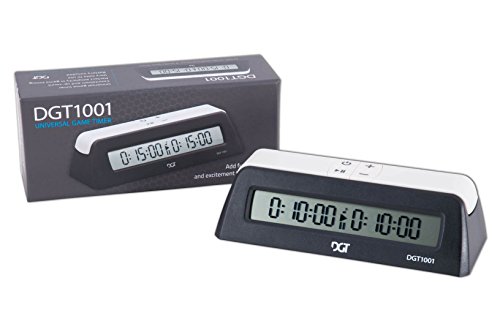
Best Chess Clock (2026): Delay, Increment and Why It Matters
A chess clock changes the game more than any other piece of equipment, because it turns thinking time into a resource you can run out of. The part beginners rarely have explained is that not all timed chess is the same: delay and increment are different rules that produce very different endgames, and the clock you buy determines which ones you can play.

Best Poker Chip Set for Beginners (2026): 3 Sets for Every Home Game
A proper chip set is what turns a card game into poker night, and the thing that separates a cheap set from a great one is the weight and feel of the chips. A 500-count set covers a full table, and heavier clay-composite chips just feel like the real thing. Here are three good sets, from a light-but-complete starter to a casino-grade box.