Best Mechanical Keyboard Kit (2026): Finished, Hot-Swap or Barebone
The word "kit" hides a big difference. One of these arrives finished and ready to type on, one arrives as a board with sockets and no switches or keycaps at all, and the gap between them is about eighty pounds of parts you have not bought yet. Working out which one you want is most of the decision.
HobbyStack may earn a commission from links on this page at no extra cost to you. Our picks are chosen on merit; the commission helps fund the research.
- A barebone kit does NOT include switches or keycaps. You cannot type on it out of the box.
- Hot-swap means switches push into sockets. No soldering, and you can change your mind later.
- Buy a switch tester before committing. Switch feel is personal and no description substitutes for pressing one.
- Layout matters more than you think. 65% saves desk space and costs you arrow keys and a function row.
- Sound is mostly the case and the foam, not the switches everyone argues about.
 Redragon K552Just start typing$37Check price
 Keychron K6 Pro (Barebone)Building it yourself$62Check price
 Our pickGlorious GMMK 2Most people$80Check price
Hot-swap, and why it changes the purchase
On a traditional mechanical keyboard each switch is soldered to the circuit board. Changing them means a soldering iron, a desoldering pump and about two hours, which in practice means nobody does it.
A hot-swap board has sockets instead. Switches push in and pull out with a cheap puller, and swapping the whole board takes ten minutes with no tools worth the name.
This matters because switch preference is genuinely personal and you will probably be wrong the first time. People buy linears because they read that gaming wants linears, discover they miss a tactile bump, and are then stuck with a soldered board.
Hot-swap turns that mistake into a twenty-pound correction rather than a new keyboard. It also makes the hobby part of the hobby possible — trying a tactile, then a heavier tactile, then a silent linear, on the same board.
If you are at all unsure what you like, buy hot-swap. It is the feature worth paying for.
What "barebone" actually leaves out
This is the single most common bad purchase in this hobby, and the listings are not always loud about it.
A barebone kit is the case, plate, circuit board and stabilisers. That is all. No switches. No keycaps. It arrives as a keyboard-shaped object you cannot type a word on.
Budget for both. A full set of switches runs roughly twenty to sixty pounds depending on how fancy you get, and a decent PBT keycap set is another thirty to sixty. So a sixty-pound barebone is realistically a hundred and twenty pound keyboard, and possibly more.
The upside is real: you choose exactly the switches and caps you want, you learn how the thing goes together, and there is nothing to throw away because you disliked the stock parts.
The downside is equally real: it is three purchases, two of which you are making before you know what you like.
Buy a barebone kit second, not first. Start on something complete, find out what you actually enjoy typing on, then build.
 Best to just start typing
Redragon K552 Mechanical Keyboard
A finished keyboard rather than a kit, and that is the point of it: it arrives, you plug it in, and it works. Tenkeyless at 87 keys with a metal top plate and anti-slip feet, so it stays put and feels more solid than the price suggests. Linear red switches, meaning a smooth travel with no tactile bump and no click, which is the least opinionated switch to start on. Full anti-ghosting and N-key rollover. Two honest limits: the switches are not hot-swappable, so what you buy is what you keep, and this particular rainbow LED version has fixed lighting patterns with no software customisation of the backlight. Buy it to find out whether you like mechanical keyboards at all.
What's good
- Complete and working out of the box
- Metal top plate — solid for the money
- TKL saves desk space without losing arrows
- Cheap enough to be a test rather than a commitment
What's not
- Not hot-swappable — the switches are permanent
- Rainbow LED version has fixed lighting, no software control
- Stock keycaps are ABS and will go shiny
- Linear reds may not be the switch you actually want
 Best for building it yourself
Keychron K6 Pro Wireless Custom Mechanical Keyboard Barebone
A genuine barebone kit, and the listing is clear about what that means: you need to buy switches and keycaps separately before you can type on it. What you get is a 65% hot-swap board taking almost any 3-pin or 5-pin MX switch, Bluetooth 5.1 across three devices as well as wired, and QMK with a browser-based configurator, so any key or macro can be remapped without installing software. The remapping has to be done in wired mode, after which it works wirelessly too. South-facing RGB, which only matters if you fit shine-through caps. Budget realistically: sixty for the board, plus switches, plus caps. Excellent second keyboard, wrong first one.
What's good
- Hot-swap takes nearly any 3-pin or 5-pin MX switch
- QMK remapping through a browser, no software install
- Bluetooth across three devices plus wired
- You choose every switch and keycap
What's not
- NO switches or keycaps included — cannot type on it as shipped
- Realistically double the sticker price once kitted
- Remapping only works in wired mode
- 65% drops the function row and shifts the arrows
 Best for most people
GLORIOUS GMMK 2 Gaming Mechanical Keyboard
The one that resolves the whole dilemma: hot-swappable, and complete. It arrives with linear switches and double-shot keycaps already fitted, so you can type on it today, and when you decide you want tactiles you pull the switches out with no soldering. Double-shot caps have the legend moulded through rather than printed, so it cannot wear off. There is sound-dampening material inside, which does more for how a board sounds than the switch arguments people have online, and a removable USB-C cable. 96% layout keeps a number pad while staying much narrower than a full-size board. Remapping uses Glorious Core, which needs Windows. The most sensible first keyboard here.
What's good
- Hot-swap AND complete — type today, change later
- Double-shot keycaps: legends cannot wear off
- Sound-dampening foam inside
- Removable USB-C cable
What's not
- Remapping software is Windows-only
- 96% is still wide if desk space is tight
- Stock switches are linear, which is not everyone
- Twice the Redragon
It is the most common expensive surprise in this hobby. A barebone kit is a case, plate, board and stabilisers — nothing you can type on. Add roughly twenty to sixty for switches and thirty to sixty for a decent keycap set before you compare it against a finished board. Buy a barebone second, once you know what switches you like.
Layouts, in the order people regret them
The percentage is how much of a full-size keyboard is left, and each step down trades keys for desk space.
Full-size (100%) has everything including the number pad. Wide, and it pushes your mouse hand further right, which is the ergonomic argument against it.
96% keeps the number pad but squeezes everything together with almost no gaps. Much narrower, slightly cramped.
TKL (80%) drops the number pad and keeps everything else. This is the safest choice for most people and the one fewest people regret.
75% keeps a function row but compresses the right-hand side.
65% drops the function row; arrows survive but move, and F-keys need a modifier. Great on a small desk, irritating if you use F-keys constantly, and this is where regret starts.
60% drops the arrows too. Lovely to look at, and a genuine adjustment.
If you are unsure, TKL. If your desk is small and you rarely touch F-keys, 65%.
Before you buy
Check whether switches and keycaps are included. This is the big one.
Buy hot-swap. Your first switch choice is probably not your last.
Get a switch tester for a few pounds before committing to sixty of anything.
TKL if unsure. 65% only if desk space matters more than F-keys.
Double-shot or dye-sub keycaps — printed legends wear off.
Keyboard kit questions
What does barebone mean on a keyboard kit?
Is a hot-swap keyboard worth it?
What keyboard layout should I get?
Do switches or the case matter more for sound?
The Glorious GMMK 2 is the sensible answer for most people because it is the only one here that is both complete and hot-swappable — you type on it today and change the switches when you know what you want. The Redragon is the cheap way to find out whether you like mechanical keyboards at all, accepting that its switches are permanent. The Keychron barebone is an excellent board and the wrong first purchase, because it arrives with nothing to type on.
Ready to actually do it?
The first mechanical keyboards quest takes an evening, and it tells you whether the gear was worth it better than any review can.
Start Mechanical KeyboardsThe HobbyStack editorial team researches each guide against manufacturer specifications, published resources and practitioner sources. Every product is checked for availability and described against its current listing before publication, and prices are re-checked when guides are updated.
About our editorial process →More gear guides
All guides
Best Beginner Mechanical Keyboard 2026: Redragon vs GMMK Pro vs Keychron Q1 Pro
Mechanical keyboards are one of the deepest hobbies on the internet: infinitely customizable, surprisingly affordable to start, genuinely improves the typing experience. Hot-swap is the must-have feature. Here are the three boards worth buying as a beginner.
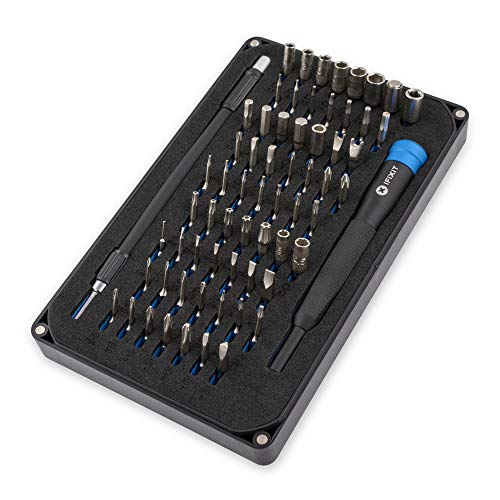
Best Screwdriver Set for Keyboards (2026): Stripped Screws Are the Real Risk
The screws in a keyboard case are small, soft and often threaded into aluminium. A bit that does not fit properly rounds the head on the first turn, and a stripped screw in a closed case is a genuinely difficult problem to solve. That is the whole argument for buying a decent precision set rather than using the driver that came in a drawer.

Best Beginner Fountain Pen (2026): A Japanese Fine Is Not a European Fine
The most common first disappointment with a fountain pen is a line that comes out narrower than expected, and it is not a fault. Japanese nibs are ground finer than European ones at the same letter, so a Pilot Fine is roughly a Lamy Extra Fine. Knowing that before you order decides whether the pen feels right.

Best Fountain Pen Ink (2026): Almost Everything Is Safe, and a Few Things Are Not
The pleasant surprise about fountain pen ink is that a bottle costs less than a decent lunch and lasts a year or more, so this is a hobby where experimenting is genuinely cheap. The unpleasant surprise is that two categories of ink will wreck a pen permanently, and one of them is sold in the same shop aisle.

Best Fountain Pen Paper (2026): Feathering Is a Paper Problem, Not a Pen Problem
A new fountain pen that writes a furry, spreading line on office paper is not faulty. Copier paper is barely sized, so wet ink wicks along the fibres and spreads outward from the stroke. The same pen on properly sized paper lays a crisp line, and nothing about the pen changed.

Best Coin Collecting Books (2026): Learn to Grade Before You Learn Prices
A coin price guide is useless until you can grade. The same 1909 cent might be worth a few dollars or several thousand depending on condition, and every figure in every price book is quoted per grade. Learning to read the prices before you can judge the coin is how people overpay confidently.